Periodic VAT report, Detailed VAT report, Income report, Profit and loss, Receivables aging, Sales by item, Payments by method and Ask your books. Every screenshot here was taken in the demo account, with made-up business
data. Each report is derived from the documents you issued and the expenses you
recorded, so two reports covering the same period show the same numbers.
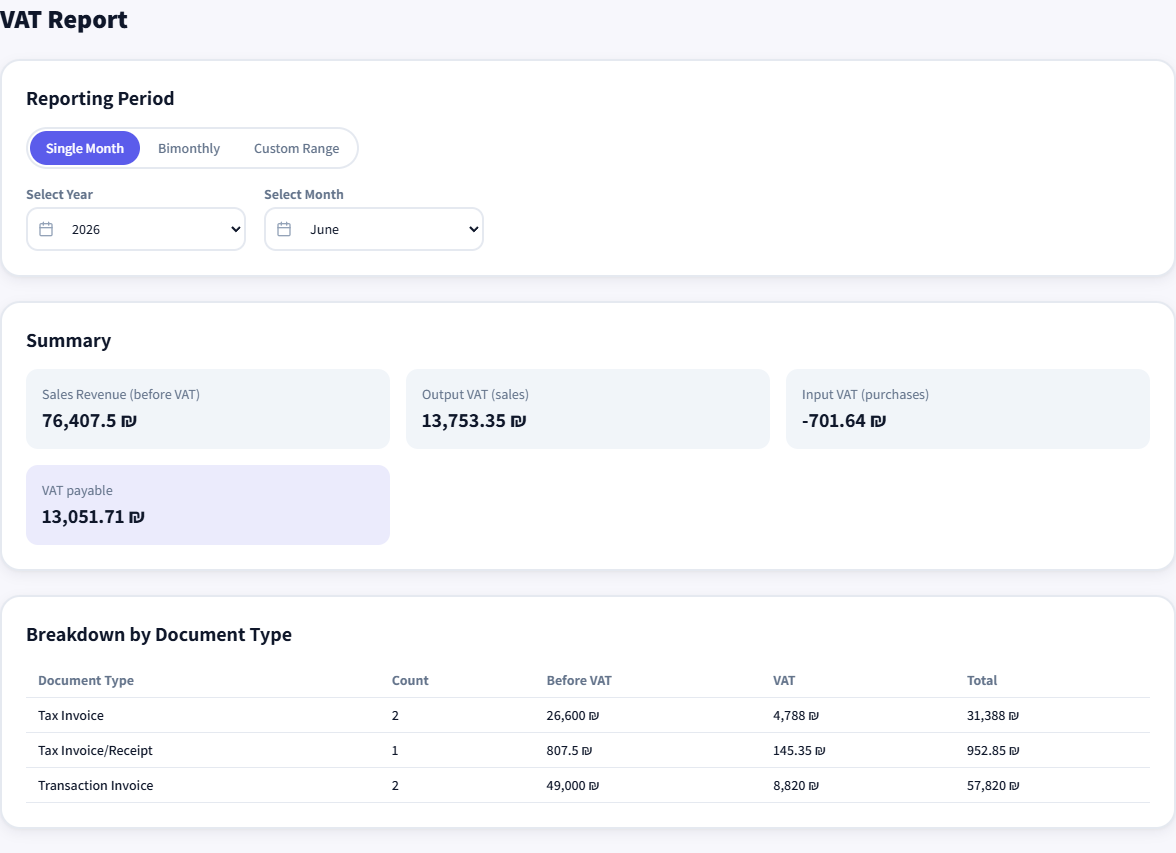
Periodic VAT report
Output VAT from the documents you issued against input VAT from the expenses you recorded, for a single month, a bimonthly period or a date range. The result is the amount payable, or refundable when input VAT is larger, with breakdowns by document type and by month under the summary. An osek patur never sees this report.
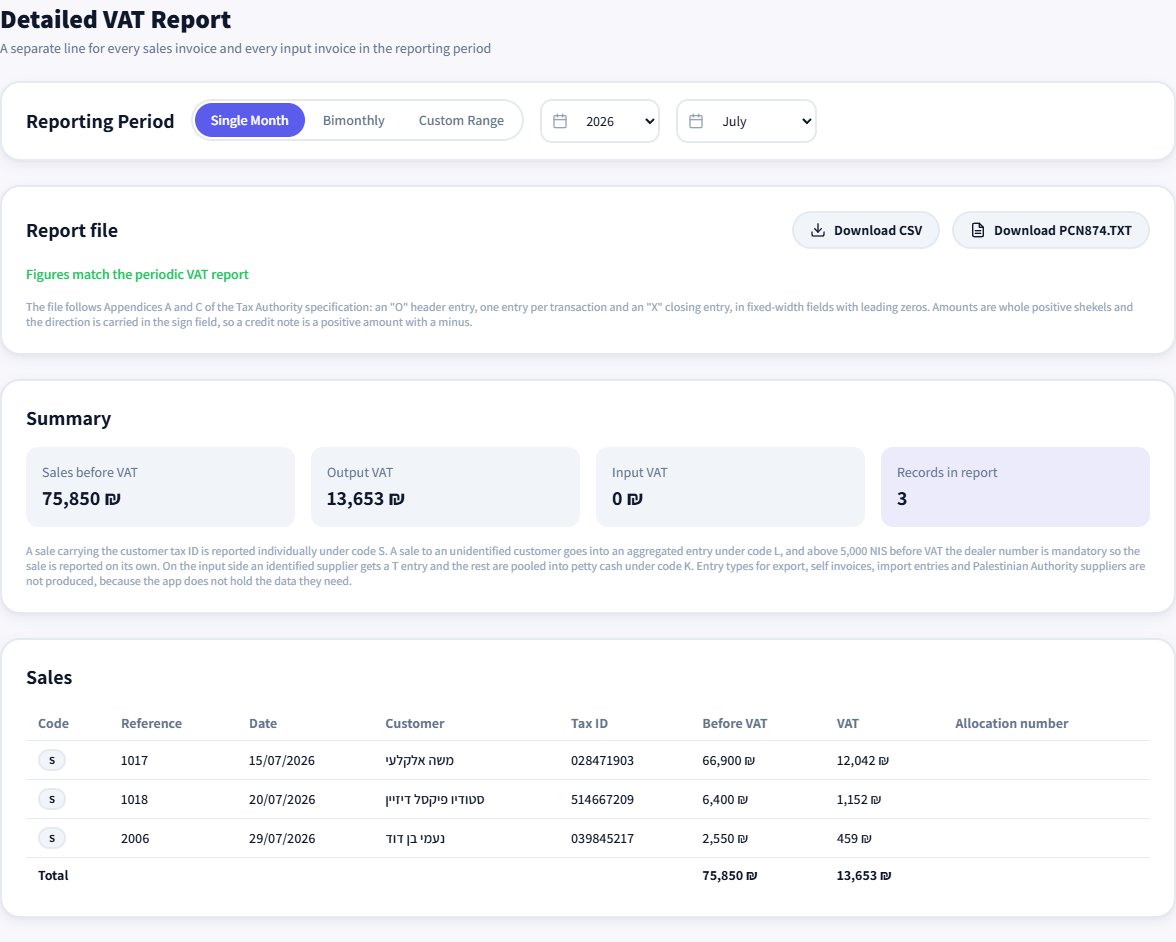
One line per invoice on both sides, and from it a PCN874.TXT file for a whole calendar month. An identified customer gets its own record under code S, an unidentified one joins an aggregate under code L, an identified supplier gets code T and the rest go to petty cash under code K. The download stays blocked until the amounts match the periodic VAT report, and the checks that would fail a transmission are listed first: a separate record with no customer tax id, an invoice missing an allocation number, petty cash over the ceiling.
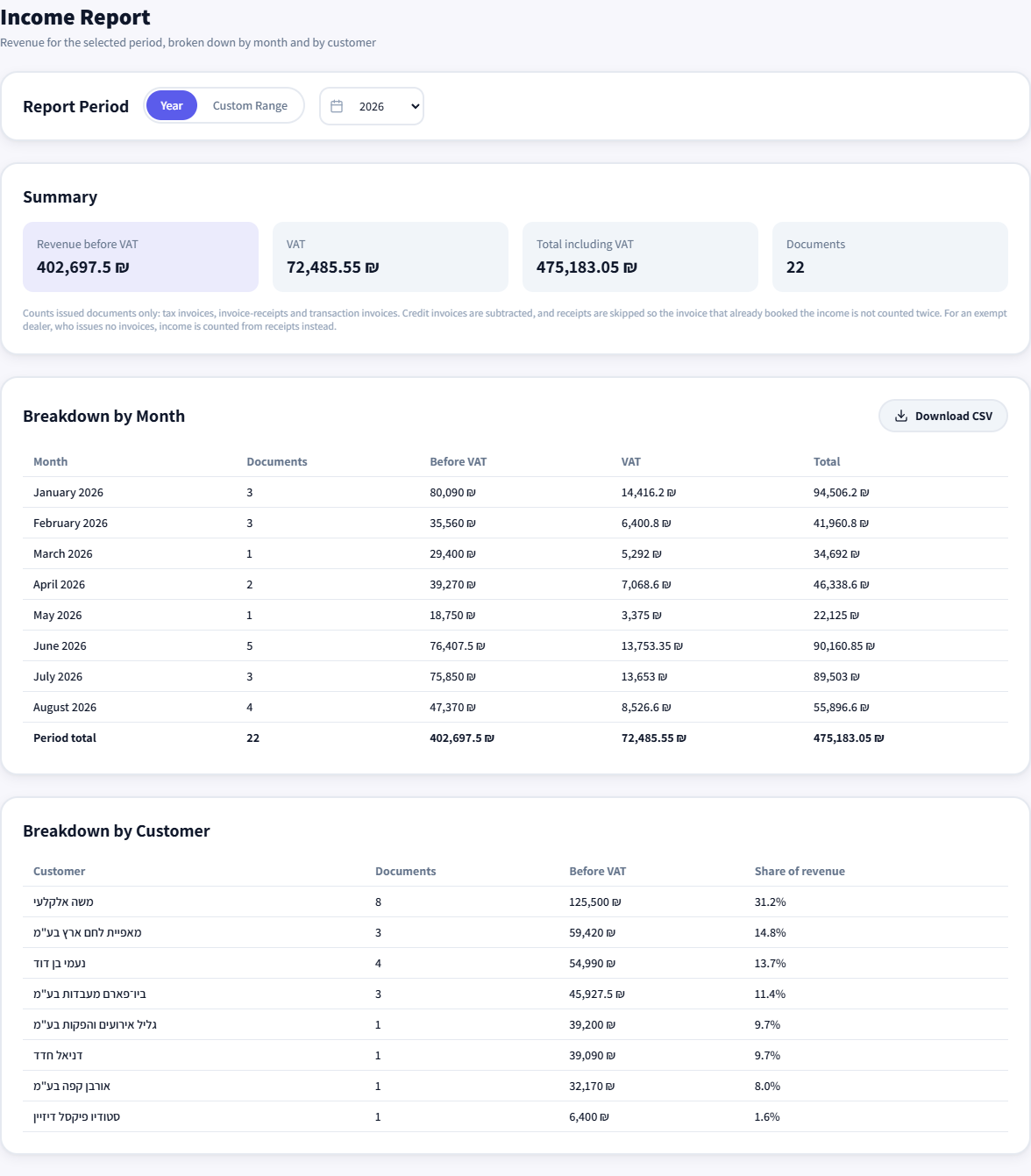
Revenue by month and by customer, with each customer’s share of turnover. Only issued documents count: tax invoices, invoice-receipts and transaction invoices. Credit invoices are subtracted, and receipts are skipped so the invoice that already booked the income is not counted twice. For an osek patur, income is counted from receipts instead.
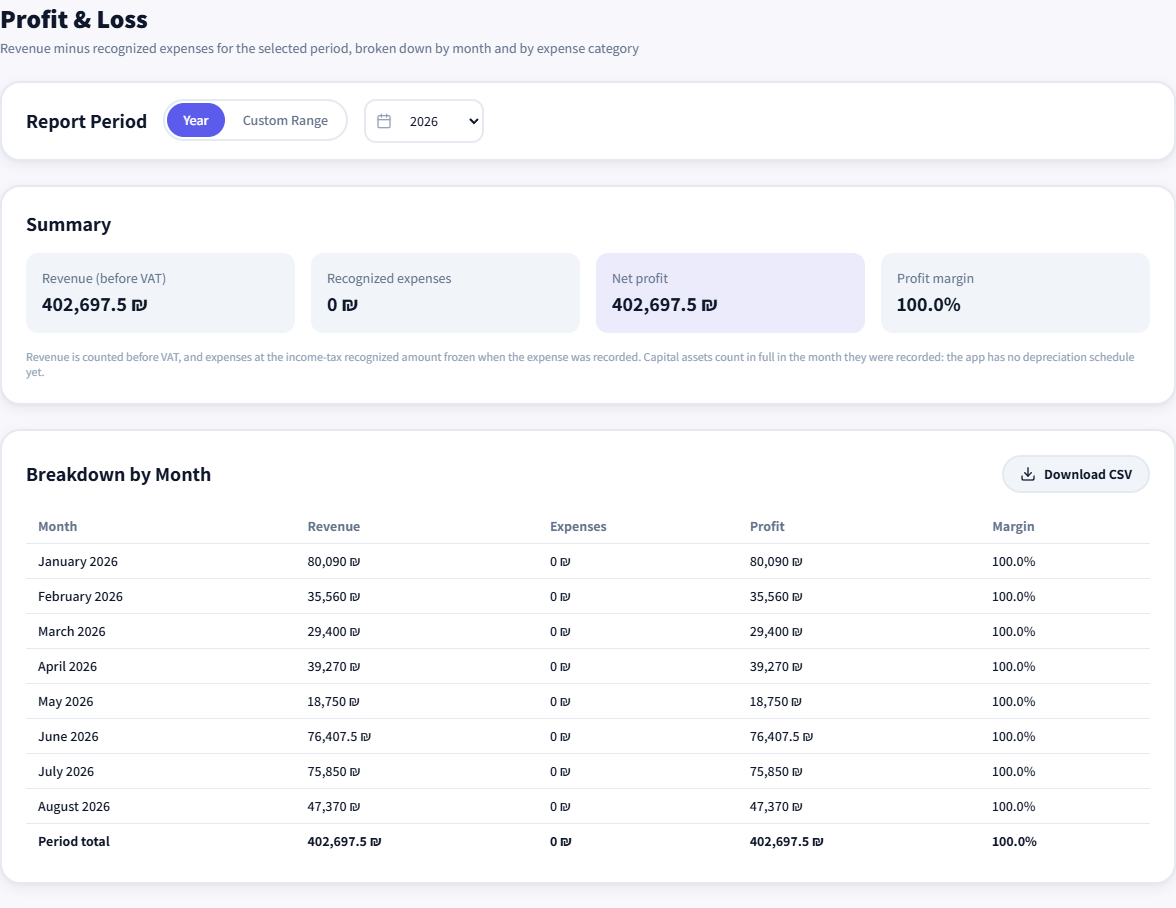
Profit and loss
Downloads as CSV
Revenue before VAT minus recognized expenses, by month, with profit and margin alongside expenses by category. An expense enters at the recognized amount set when it was recorded rather than at the invoice figure. A fixed asset counts in full in the month it was recorded, because depreciation is not calculated in the system yet.
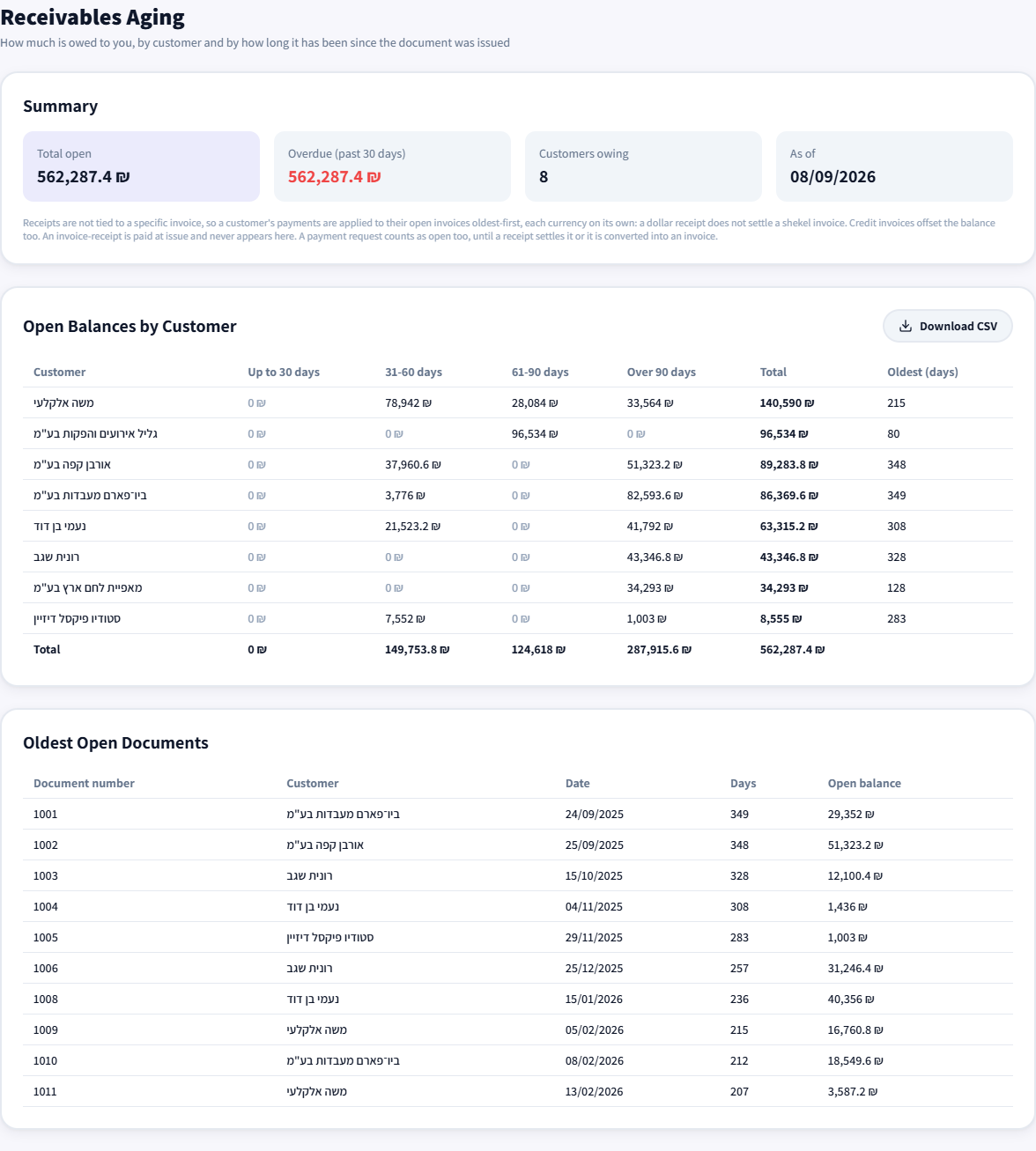
What is still uncollected, per customer, in buckets of up to 30 days, 31 to 60, 61 to 90 and over 90, with the oldest open documents under the table. An Israeli receipt is not tied to a specific invoice, so a customer’s payments are applied against their open invoices oldest first, each currency separately. A payment request counts as open debt, and an invoice-receipt counts as paid on issue.
Sales by item
Downloads as CSV
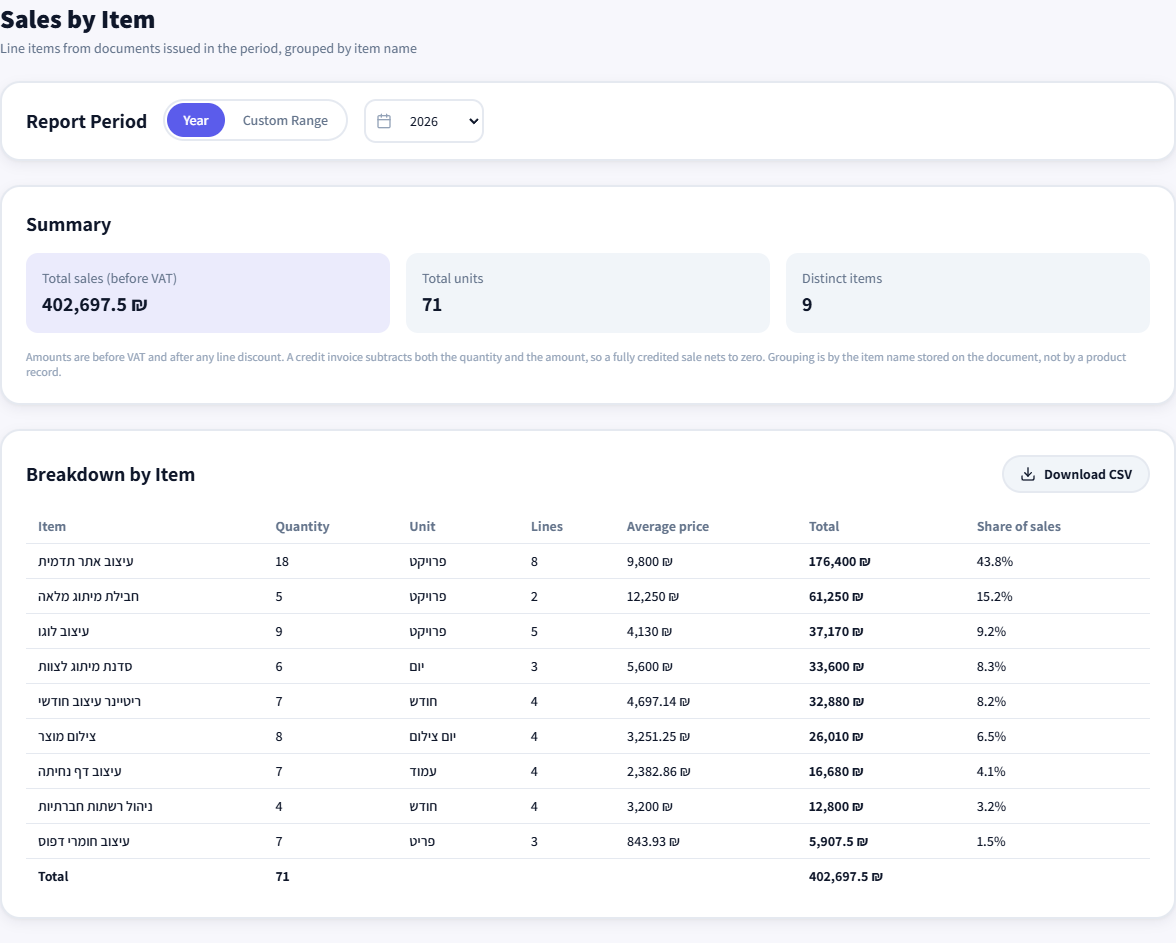
Document lines grouped by item name, with quantity, unit, average price, amount and share of sales. Amounts are before VAT and after line discount, and a credit invoice reduces both the quantity and the amount. Grouping follows the name as saved on the document rather than a product card, so the same service written two ways is counted twice.
Payments by method
Downloads as CSV
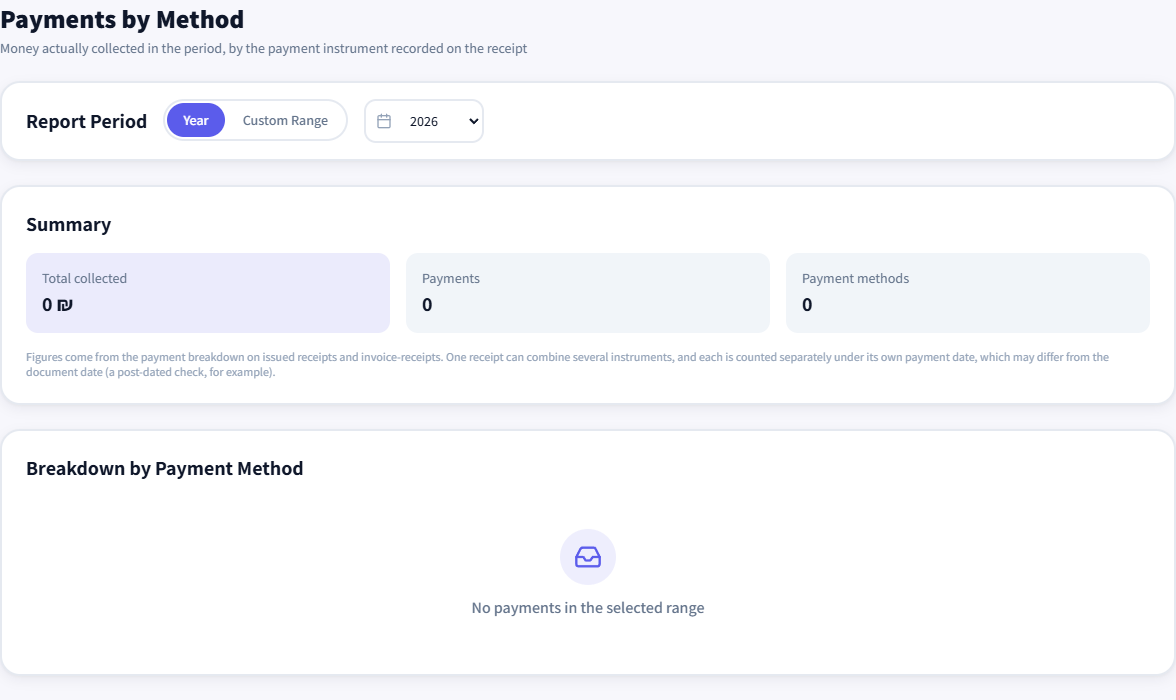
How much actually came in as cash, checks, card and transfers, with each method’s share and a monthly breakdown. The data comes from the payment lines on receipts and invoice-receipts, and one receipt can combine several methods. Each method counts on its own payment date, so a postdated check lands in the month it clears.
Ask your books
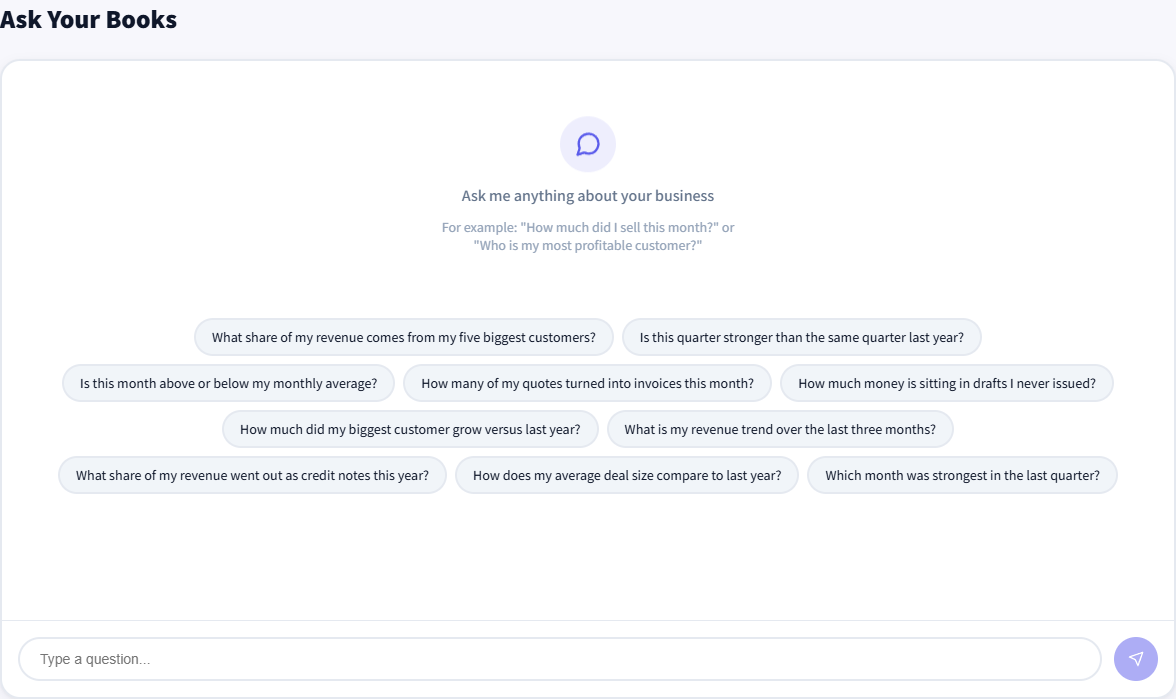
Free-text questions over the same data, such as what share of revenue comes from the five largest customers, or how many quotes turned into invoices this month. Meant for the questions no fixed report answers exactly.
Where the numbers come from
There is no screen for typing amounts into a report, and no side spreadsheet to
reconcile at the end of the period. Every report reads the documents you issued and
the expenses you recorded, which is why the detailed VAT report and the periodic VAT
report have to agree, and why the filing file cannot be downloaded while they do not.
What comes out as a file
Six of the reports download as CSV, and the detailed VAT report also produces the
PCN874.TXT file itself. Beyond the reports you can generate an
Open Format file for a tax year or a date
range, and export documents, customers and items to CSV in the same columns the import
screen reads, so the file goes back in without editing.
Not every business sees the same reports
An osek patur charges no VAT, so neither VAT report
is shown to them at all. An individual gets one more report that is not pictured here,
a simulation of how much income tax and national insurance a
pension and hishtalmut deposit would
have saved, and it is hidden from a company or a partnership because it is built on
personal tax brackets.
Seeing it on live data
The demo account opens with no
registration and no password, on the same data as the screenshots here. You can change
periods and open every report, but not edit anything or issue documents.
Want these reports on your own data
Registration is open, at no cost and with no document cap.
This site uses essential cookies and an analytics cookie (Google Analytics) to understand usage, active from your first visit. How to turn it off, and what gets collected, in our privacy policy.