
Accounting calculations in Slate
VAT, income-tax advance, National Insurance advance and pension saving calculations, made from the documents and expenses you already recorded. Every figure is shown in whole shekels with the last day to pay, and at the end of the month all that is left is copying it into the authority's site.
Open a free account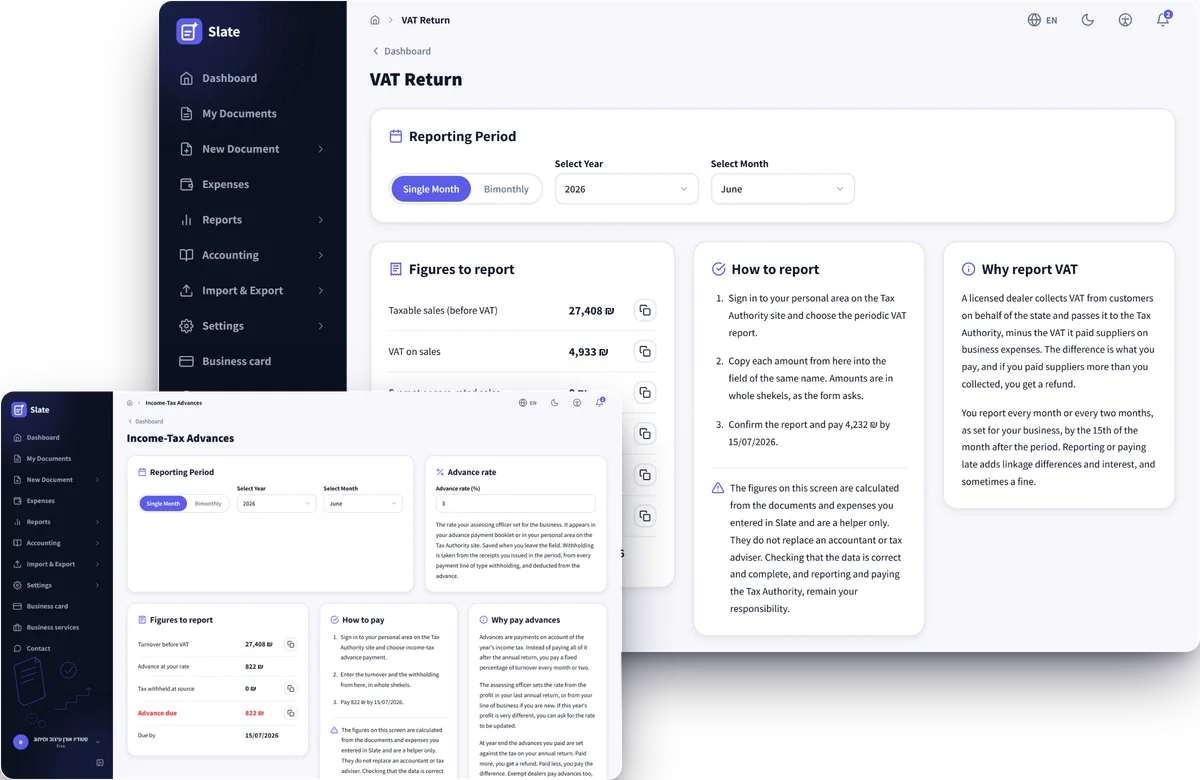
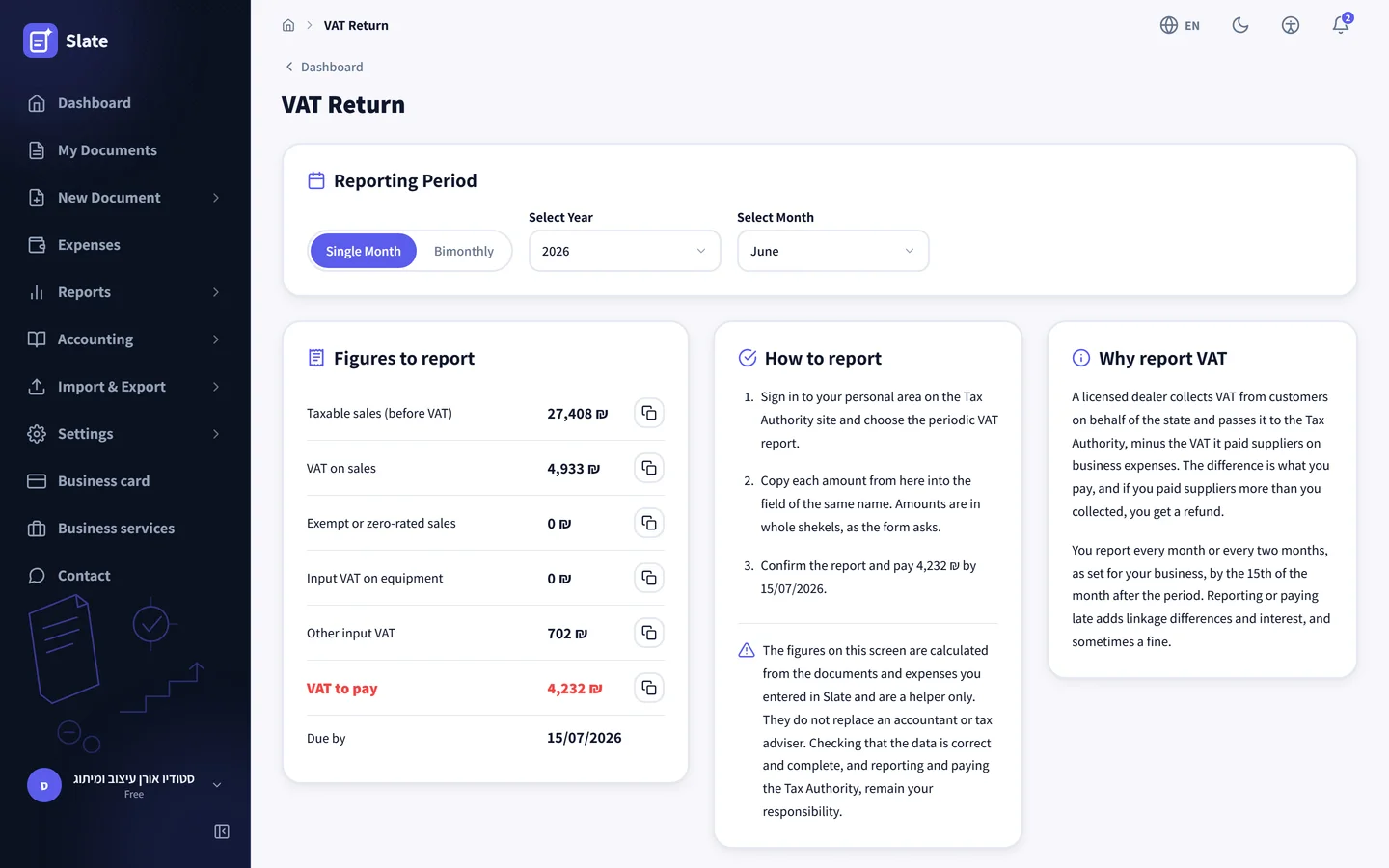
The VAT return, line by line as on the form
The five figures the periodic return on the Tax Authority site asks for, under the same names and in whole shekels, with a copy button next to every line. Sales come from the invoices you issued, and a credit invoice reduces them. A document with no VAT on it, such as one for a client abroad, goes to the exempt line. An expense you marked as a fixed asset goes to input VAT on equipment, and everything else to other input VAT. At the end are the VAT to pay or to get back and the last day to file, the 15th of the month after the period.
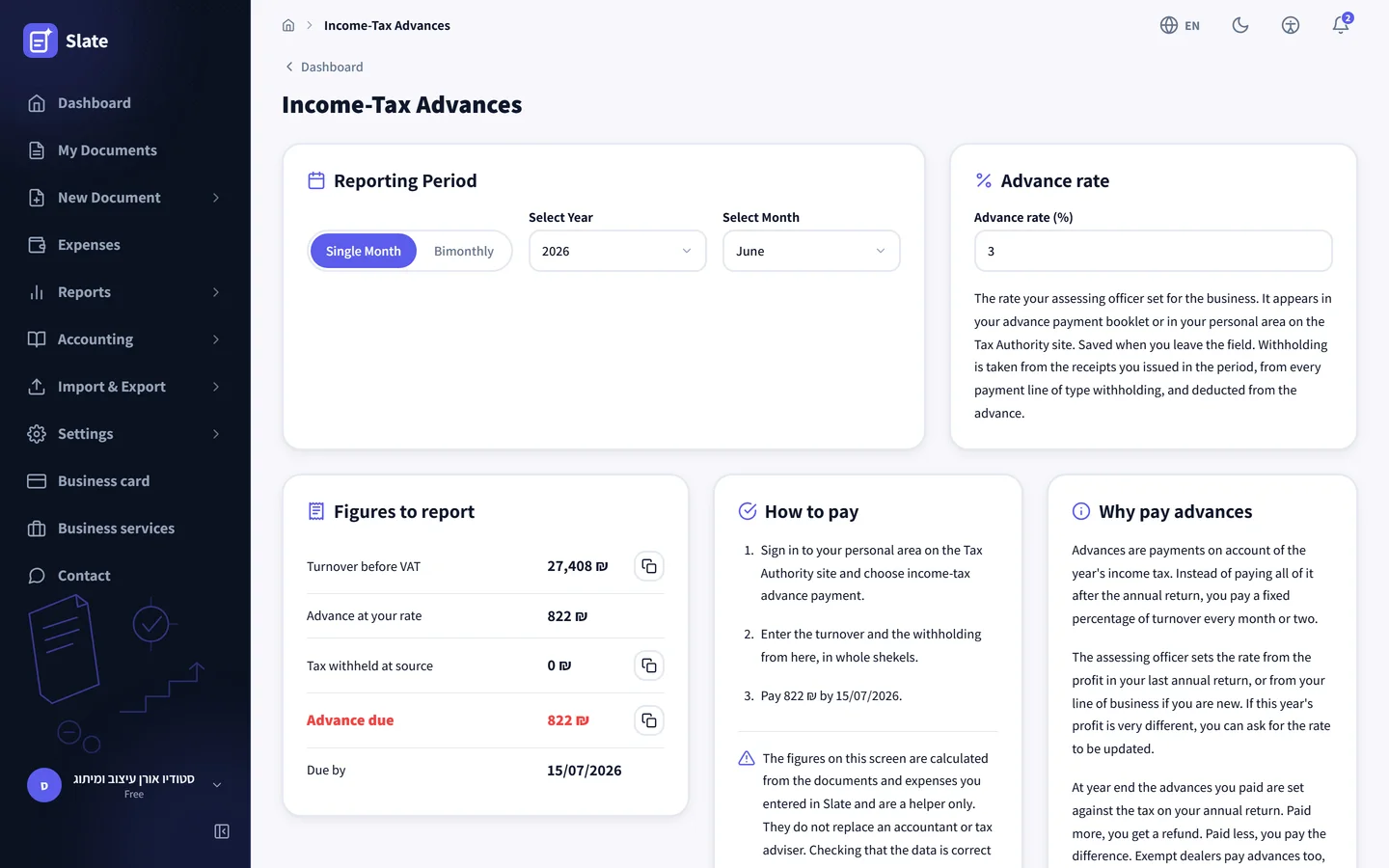
Income-tax advances worked out from turnover
You enter the advance rate your assessing officer set once, and it stays for later periods. The screen applies it to the period turnover: for an osek murshe that is sales before VAT, the same number the VAT return shows, and for an osek patur it is the total of the receipts issued. Tax a client withheld at source, recorded on the receipt as a payment line of the withholding type, comes off the advance, so the amount shown is what is really left to pay.
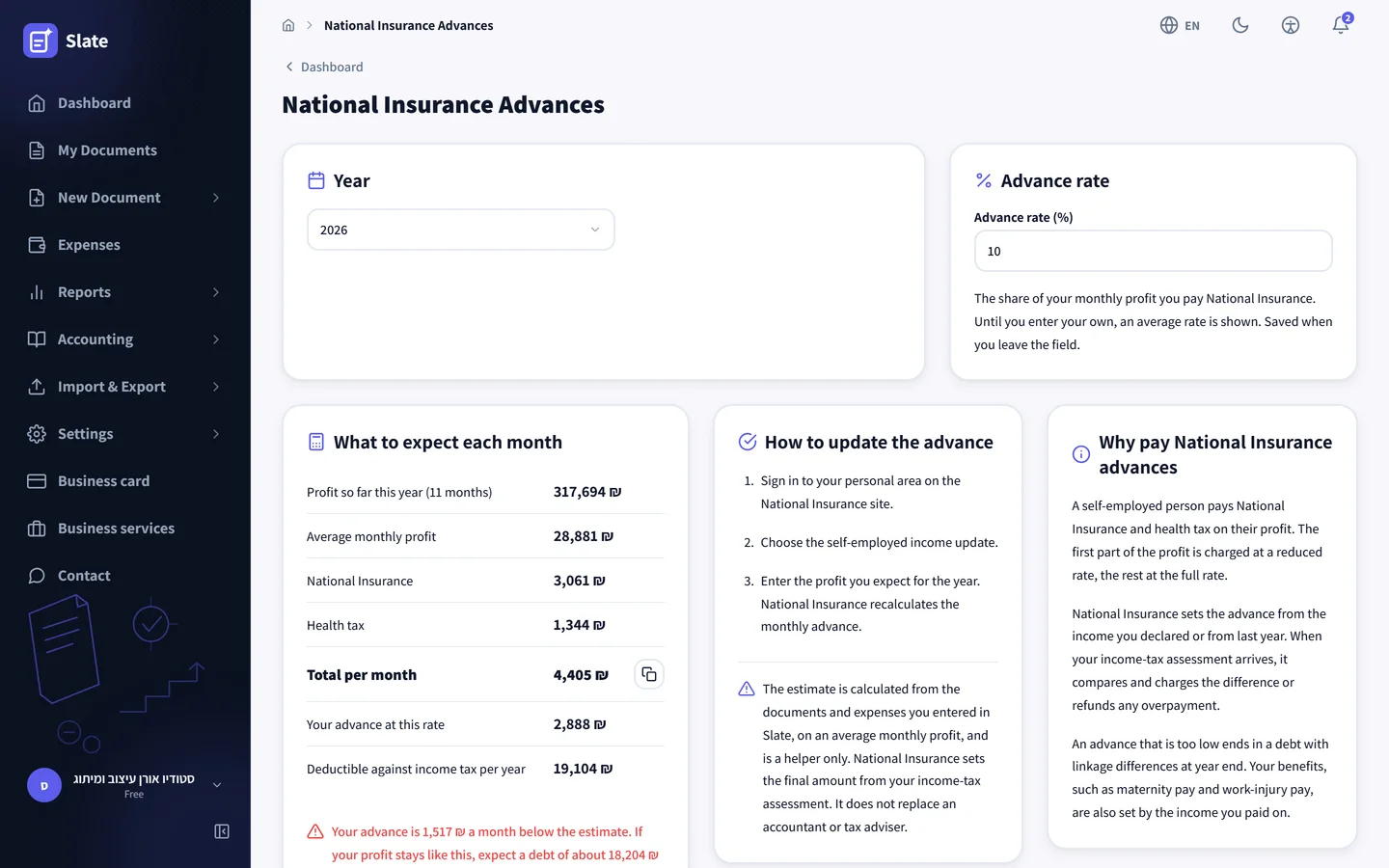
Check whether your National Insurance advance fits your profit
National Insurance sets the advance from the income you declared, and the screen compares it with this year’s real profit. Profit is revenue before VAT minus recognized expenses, averaged per month since January, and National Insurance and health tax are worked out on it at that year’s rates. When the advance is more than 10% below the estimate, the screen says what debt to expect at year end. When it is above, it says how much you could ask to have reduced, and three steps explain how to update your income on the National Insurance site.
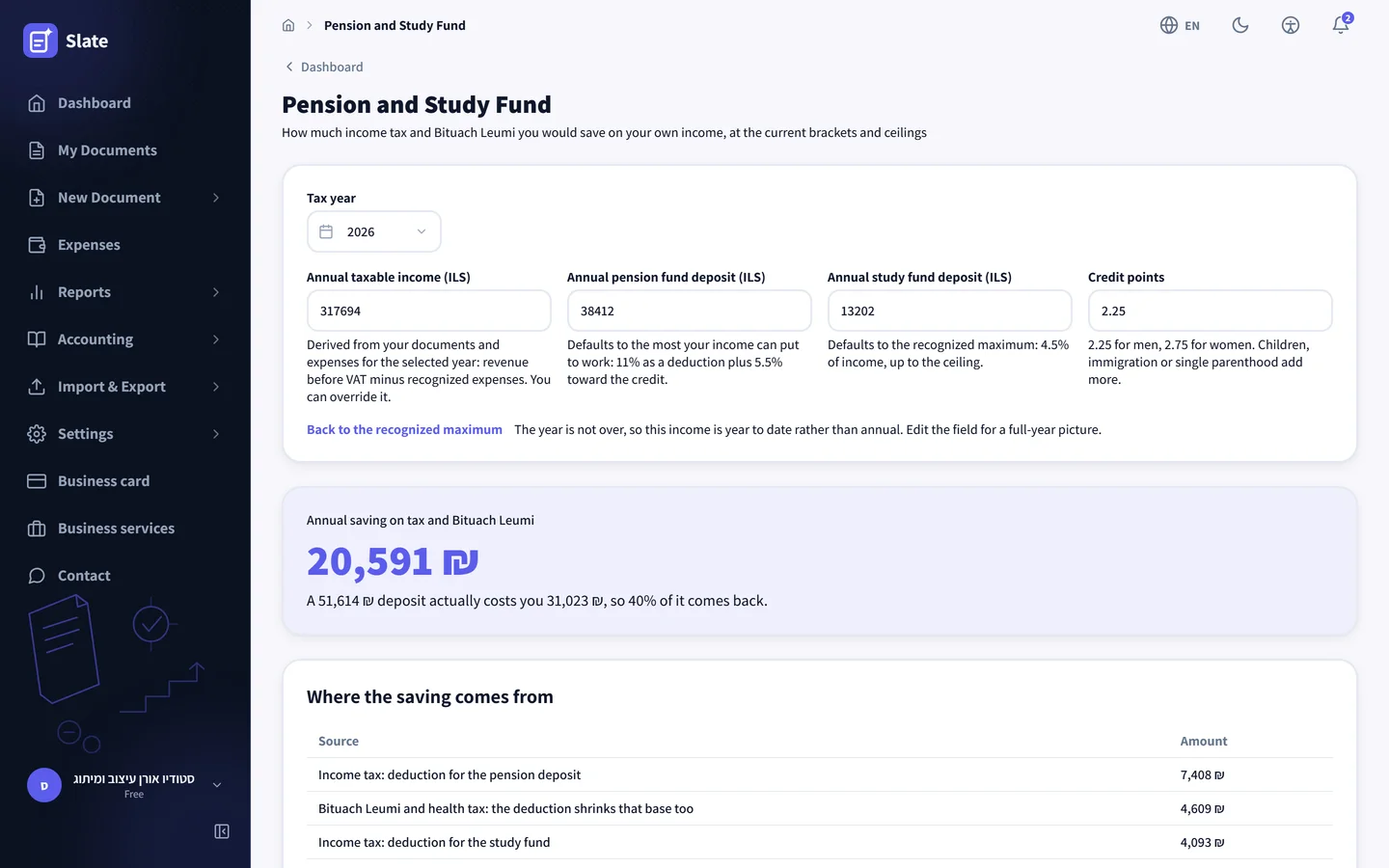
What a pension and study fund deposit saves you
The year’s taxable income is worked out from your documents and expenses, and the deposits are prefilled at the recognized maximum: 11% as a deduction plus 5.5% toward the credit for pension, and 4.5% for a study fund up to the ceiling. The screen shows how much income tax and National Insurance the deposit saves, which rule each part comes from, and what the deposit really costs. Every field can be changed, and from the screen you can ask to be put in touch with an insurance agent who opens the funds.
-
The figures come out of your books
None of the screens has a field for typing in income or expenses. They read the documents and expenses already recorded, exactly like the reports.
-
The same numbers as the VAT report
The VAT return and the turnover behind advances come from the same engine as the VAT report, so the same period shows the same amounts.
-
Whole shekels and a copy button
Every figure is rounded the way the authority’s form takes it. One click copies it, and you paste it into the field with the same name.
-
The last day in plain sight
Every filing screen shows the last day to pay, and until it arrives, how many days are left.
-
An osek patur sees three screens
The VAT screen does not appear, because an osek patur does not file VAT. The advances and the pension simulation are open to one.
-
Included in the free plan
All four screens are open on every plan, the free one included, at no extra cost.
Filing and paying stay with you
Slate does not submit the return to the Tax Authority and does not move money. The screens prepare the figures, and the three filing screens end with short steps for filing in your personal area on the authority's site. Each one says the calculation is a helper, and the responsibility for the filing stays with the business.
If you work with an accountant, you can connect them to the account through the accountants portal, where they see the same reports and the same advances.
Companies, partnerships and nonprofits
A company sees the VAT return and income-tax advances. A company pays National Insurance on its payroll rather than on its profit, and the pension simulation is built on an individual's tax brackets, so those two screens do not appear in the menu of a company, a partnership or a nonprofit.
Every screenshot on this page comes from the demo account, with made-up business data for June 2026. It opens with no registration and no password, and you can switch months and watch the figures change.
Prepare your next filing from Slate
Open an account, issue documents and record expenses as usual, and at the end of the month the figures are waiting under the accounting menu.
Open a free account