
A digital business card in Slate
One page with your business name, an opening line, address, phone and social links, at a short address of your own under biz.slate.co.il. Send the link on WhatsApp or put it in your bio, and whoever opens it can call, write or get directions to you with one tap.
Open a free account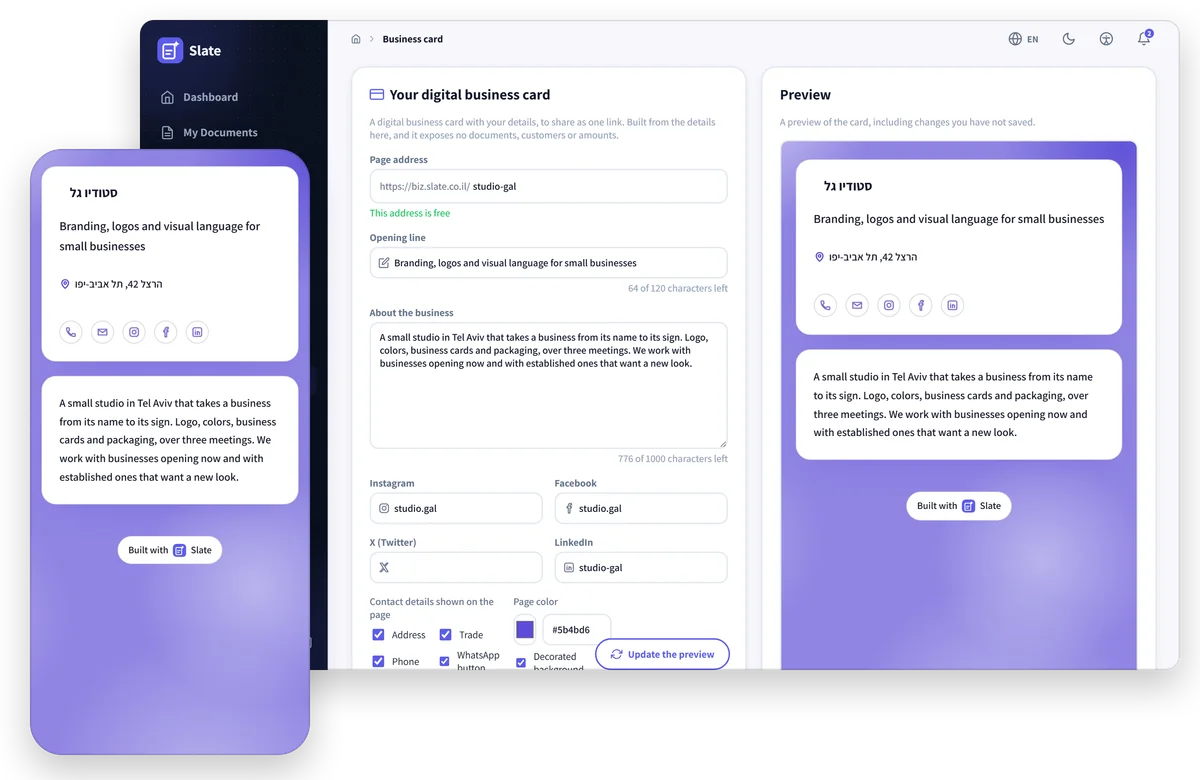
Built from the details you already entered
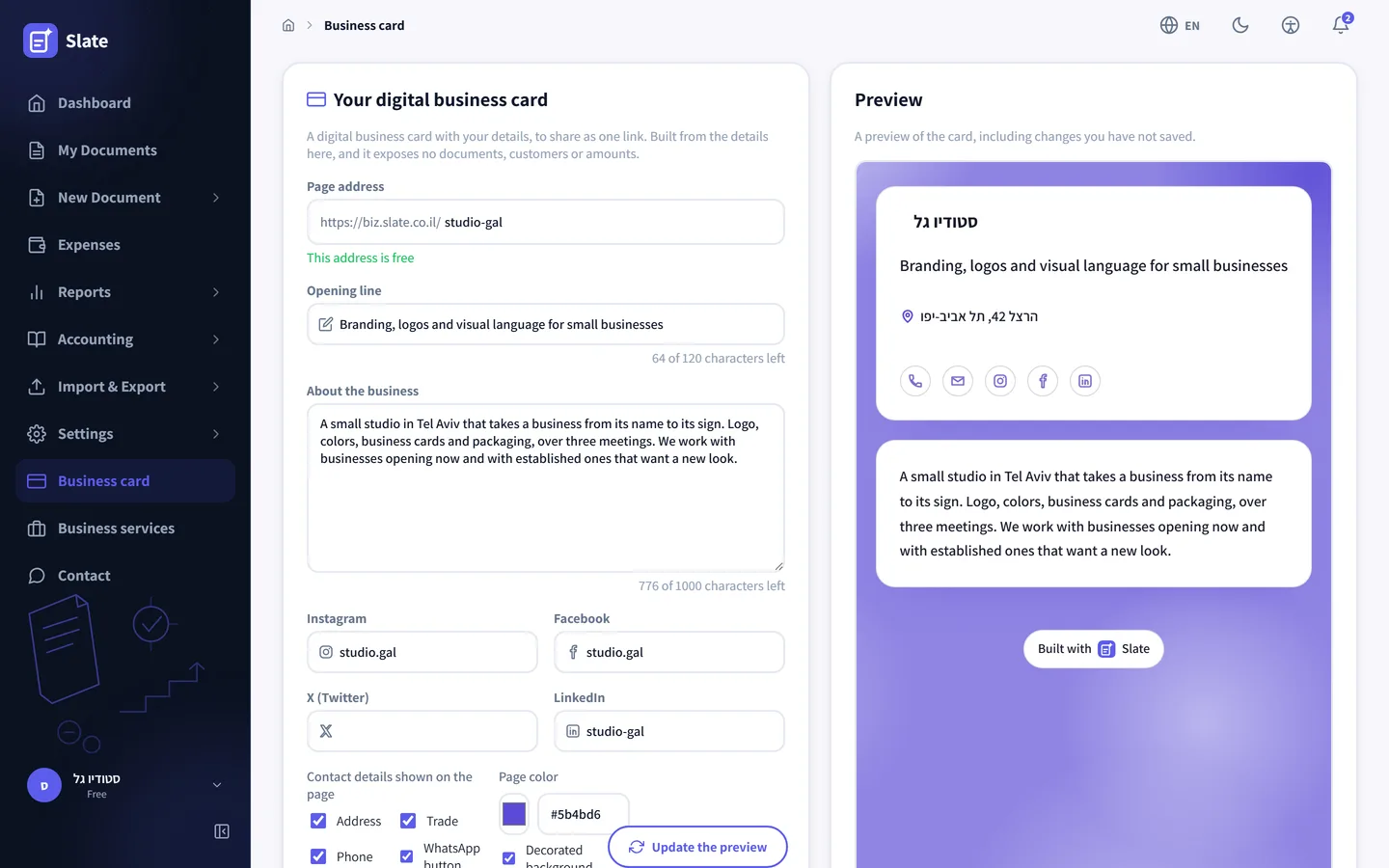
The business name, address, phone, email, website and logo come from your business settings, the same details printed on your invoices. On the card screen you add an opening line of up to 120 characters, a paragraph about the business of up to 1,000 characters, and links to Instagram, Facebook, X and LinkedIn. The preview next to the form updates with one click, before you save anything.
Pick a color and the page follows it
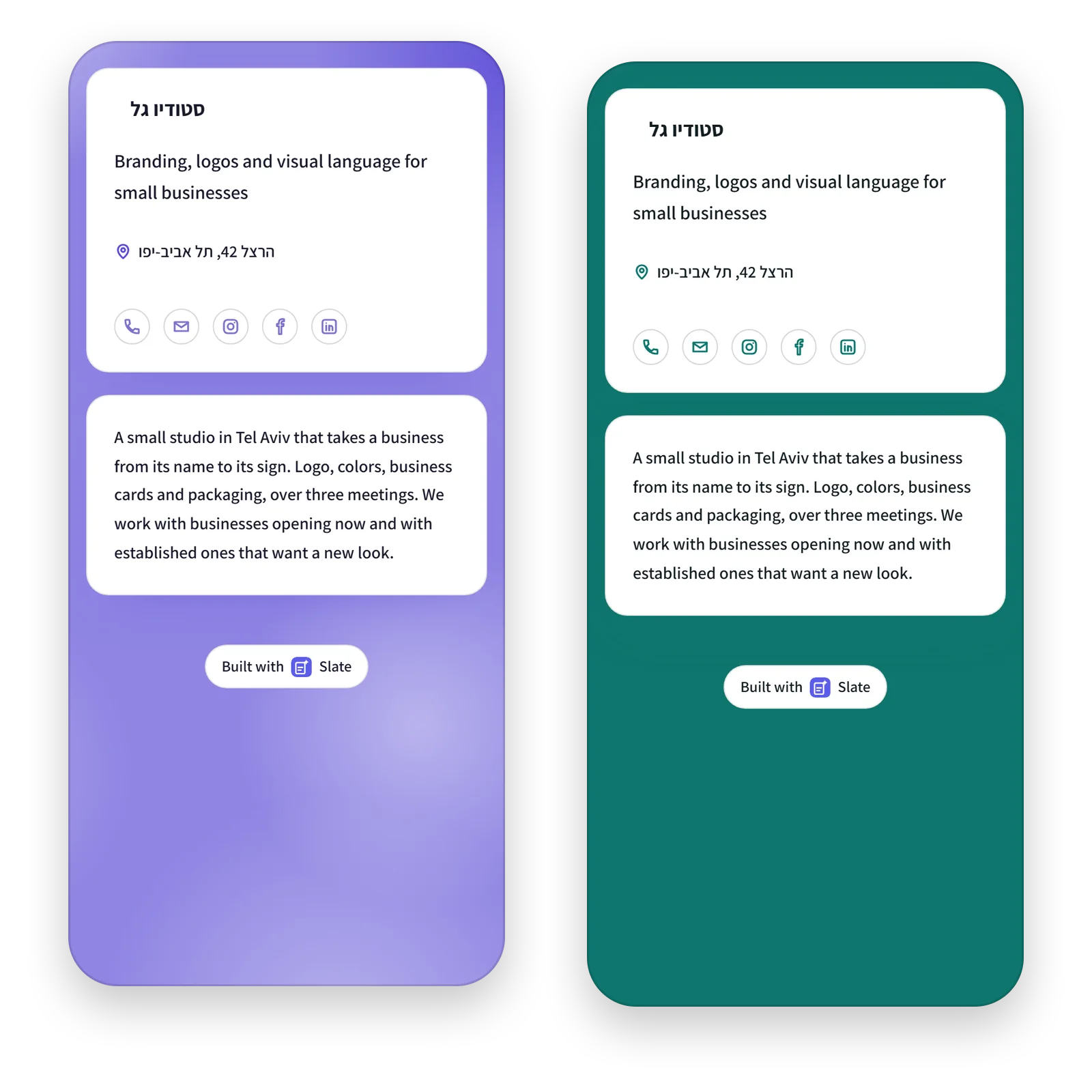
Choose a color in the picker or type its code, and the background and icons are drawn from it. You can keep slow-moving lights behind the card, or turn them off for a flat background in the color you picked. The page is built for a phone screen, and on a computer it opens as one column in the middle.
You choose which details appear
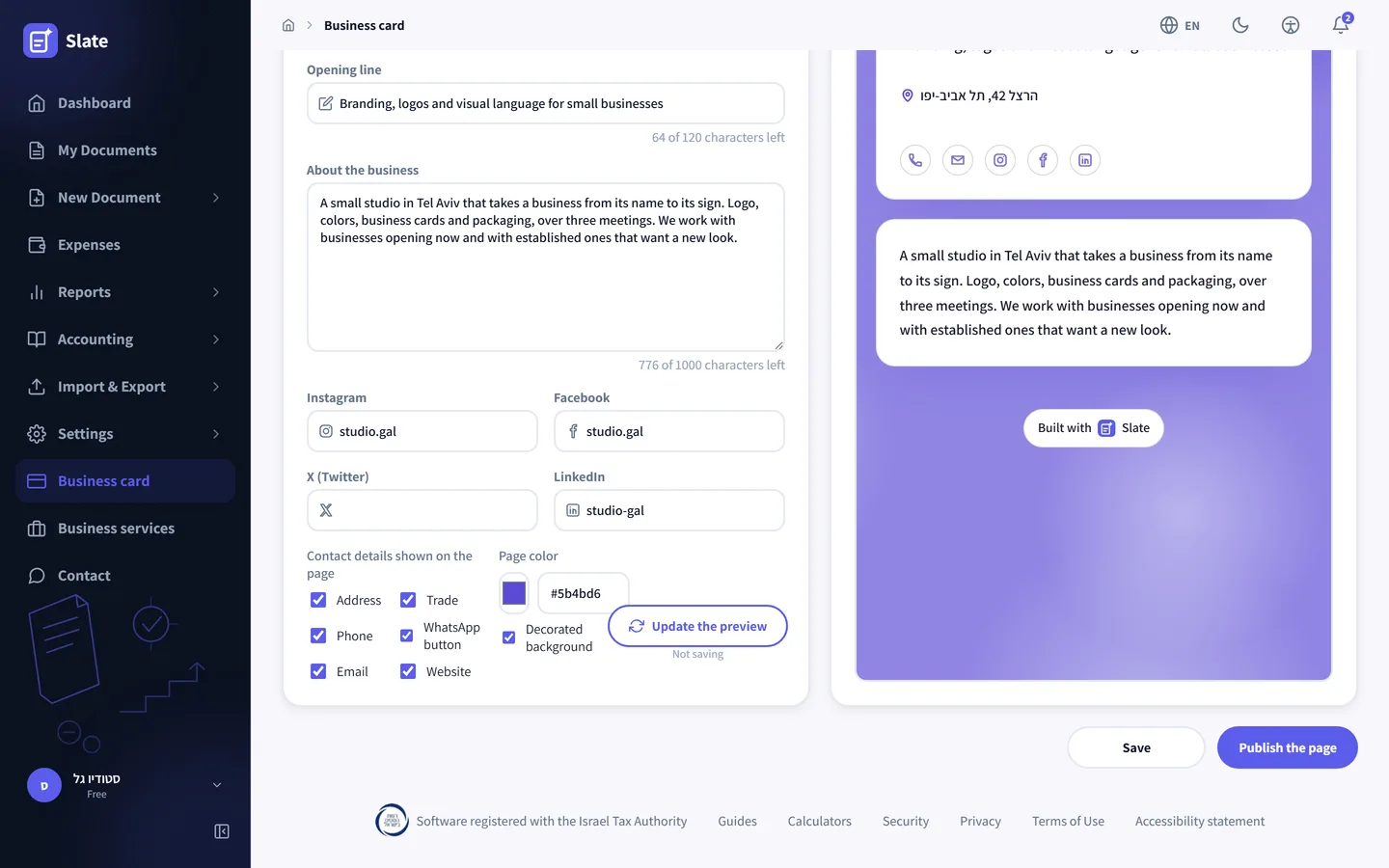
Six checkboxes decide what goes on the page: address, trade, phone, WhatsApp button, email and website. A number you keep for invoices only does not have to show. A detail you switched off is left out of the page and out of the code search engines read. The publish button puts the page online, and unpublishing takes it down.
-
A short address of your own
biz.slate.co.il followed by a name you choose, 3 to 20 Latin letters, digits and hyphens. The screen checks as you type whether the name is free.
-
One tap to get in touch
The phone dials, the email opens a new message and the address opens in Google Maps. A WhatsApp button appears when the business number is an Israeli mobile.
-
Online only when you say so
A new card stays off until you press publish. You can save, come back to it later and publish when it is ready.
-
No documents and no amounts
The page shows only the business details you chose. Invoices, customers and income never reach it.
-
Readable by Google
Every published card goes into the biz.slate.co.il sitemap, and its code marks the business name, address and phone in the format search engines know.
-
Included in the free plan
The card is open on every plan, the free one included, at no extra cost.
Details that keep themselves current
The card keeps no copy of your business details. It reads them from your business settings every time someone opens it, so a new phone number or address shows on it as soon as you save the settings, with no need to publish again.
Hebrew or English
The card is written in the app language you saved it from. In Hebrew it reads right to left and in English left to right, and the fixed words on the page switch with it. Your opening line and paragraph stay exactly as you wrote them.
Where the link goes
In your Instagram bio, your email signature, a WhatsApp message to a new client or the bottom of a quote. Whoever taps it lands on a single page with no scripts and no requests to other sites, so it opens quickly even on a weak signal.
Every screenshot on this page comes from the demo account, with a made-up business. It opens with no registration and no password, and you can fill in the card and see the preview there. Publishing a real card takes an account of your own.
Your card is waiting in the menu
Open an account, fill in your business details once, and under Business card add an opening line and publish.
Open a free account