Templates and tools
Invoice templates to download, invoicing in Excel, invoices in English for foreign clients, and moving between invoicing tools.
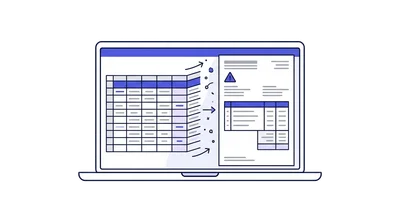
A good-looking template does not make a document valid. What decides that is the detail on it: business name and dealer number, document type, running number, date, customer details, the line items, and VAT shown separately where it applies. Excel and Word handle the visual side and break on the other one, because they have no locked numbering, no digital signature and no Open Format export. The guides here separate what you can download and fill in from what needs a system, and cover what to check before moving between invoicing tools.
Switching systems is where templates turn into a real problem. Three things are worth checking first: that the old system exports documents rather than only printing them, that the history survives rather than disappearing with the subscription, and that numbering in the new system continues forward instead of restarting. A document in English or in foreign currency adds a layer, since the shekel amount and the exchange rate have to be stored alongside it for reporting.
-
Invoicing in Excel - What's Allowed and What Breaks
Whether you can legally issue invoices from Excel or Word in Israel, the four bookkeeping requirements a spreadsheet cannot meet, and when it stops working.
-
Document templates - what has to appear on each one
The exact fields required on an Israeli tax invoice, transaction invoice, receipt, credit note, quote and delivery note, and why a Word template is not enough.
-
Invoicing in English and foreign currency
How to invoice an overseas client in English, when zero-rated VAT applies, how foreign currency is reported, and a bilingual document glossary.
-
Switching invoicing software safely
How to move document history and customers between Israeli invoicing systems through the Open Format file, and what happens to numbering.