
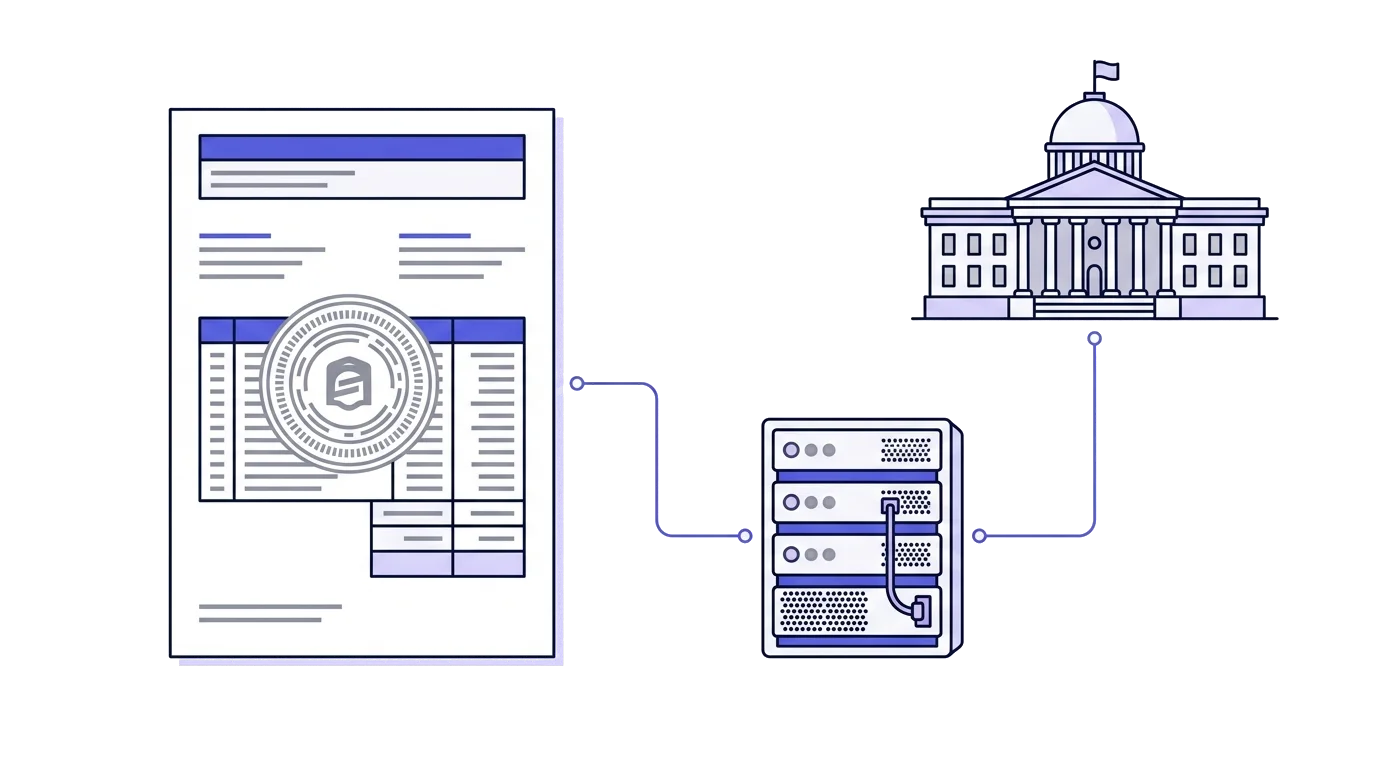
Issuing a large tax invoice no longer ends the moment the document reaches the customer. Since May 2024 the Israel Tax Authority has run the Israel Invoice model, under which a tax invoice at or above a set amount requires an online approval called an allocation number. Without it the customer cannot deduct the VAT they paid, and an invoice that was supposed to close a deal turns into an argument with their bookkeeper.
The threshold drops every year. In June 2026 it reached 5,000 shekels before VAT, which means almost every active business now runs into it. This page holds all of it in one place: what sits behind the reform, who is covered and when, what the request looks like in practice, and what happens when it fails.
What an allocation number is
An allocation number is an individual approval the Tax Authority grants to one specific tax invoice. The business reports the transaction details to the system, the system checks them against what it already holds on that business, and returns a number. The number is printed on the invoice, and it is what makes the invoice deductible for input VAT.
One distinction is worth getting right, because it causes real confusion. The reform did not make an invoice illegal. An invoice without an allocation number is a valid document, the business reports its output VAT as usual, and the transaction stands. What changed is what the invoice is worth on the buyer's side.
Why it was legislated
A fictitious invoice is a document recording a transaction that never happened. Whoever receives it deducts input VAT that was never paid to anyone, and at the same time reduces their taxable income. Money leaves the treasury on the strength of paper. The scale of it in Israel was estimated in the billions of shekels a year.
What made it hard to police was simple: the document was created by the party who benefited from it, and the audit arrived after the fact. Sometimes years after the money had been refunded, and often after the issuing company no longer existed. The new model moves the check to the point of issue, before the offset.
Israel is not alone in this direction. Many countries have moved in recent years to real-time reporting or real-time invoice clearance, on the same reasoning: preventing a wrong refund is easier than clawing one back.
- The invoice was produced by the business alone
- The check arrived after the fact, sometimes years later
- Fictitious invoices surfaced far too late
- Every invoice at or above the threshold is checked at issue
- The approval comes back within seconds
- Input-VAT deduction depends on prior approval
The amount that triggers the requirement
Since June 2026 the requirement covers any invoice of 5,000 shekels or more before VAT, measured per invoice.
Two details trip people up. First, the comparison is to the amount before VAT, not the total. An invoice for 5,600 including VAT is 4,745 before VAT, which is under the threshold. Second, the threshold is "from", not "above". Exactly 5,000 already needs a number.
If you are used to thinking in VAT-inclusive amounts, the VAT calculator shows where the line actually sits: ILS 5,000 before VAT is about ILS 5,900 including VAT at the current rate.
Why the threshold steps down
The reform was designed as a phased rollout. The threshold started high so only large transactions entered the system in the first year, and it has dropped since, pulling more invoices into scope. The reasoning runs both ways: it gives the Tax Authority time to stabilize the technical infrastructure, and it gives businesses and software vendors time to connect.
There is a planning consequence to this. A business the threshold did not touch last year may find it does this year, with nothing about the business itself having changed. Check the current figure at the start of each year rather than relying on what used to be true.
One point catches businesses out: artificially splitting a transaction into two smaller invoices to stay under the threshold counts as illegitimate planning. One transaction, one invoice.
Which documents and which businesses
Three conditions have to hold together. Drop one of them and there is no request.
- Document typeA tax invoice or tax invoice receipt, never a transaction invoice or a receipt
- Amount5,000 shekels or more before VAT, as of June 2026
- CustomerA licensed dealer who will deduct input VAT on the invoice
The requirement covers tax invoices and tax invoice receipts, meaning documents that entitle the customer to deduct input VAT. A quote, a delivery note, a transaction invoice or a receipt on its own need no allocation number, because none of them supports an input-VAT deduction. That carries an operational advantage: you can send a customer a transaction invoice for 90,000 shekels instantly, with no dependency on Tax Authority availability.
A tax invoice receipt, on the other hand, is a tax invoice in every respect, and the requirement applies identically. In practice this is the more painful case, because the combined document is issued in front of the customer at the moment of payment. A business collecting 12,000 shekels by card at the end of a meeting depends on the Tax Authority's answer right then.
An exempt dealer may not issue tax invoices and does not charge VAT, so none of this reaches them. They do run into the question when a business customer asks out of habit for "an invoice with an allocation number". The correct answer is that the document they issue never enabled an input-VAT deduction in the first place, so there is nothing to allocate.
A licensed dealer is not always subject to the requirement either. One issuing 800-shekel invoices to private customers will never touch it. The same dealer, on the day they close a 30,000-shekel deal with a company, will need a number. When the customer is a private individual who deducts nothing, the number serves no purpose, but most systems request it on amount alone and an unnecessary request does no harm. Sorting customers by hand is exactly where mistakes happen.
How the request is sent
There are two routes. The first is manual, through the personal area on the Tax Authority website: you enter the invoice details in a form, get a number, and copy it onto the document. It works, and it becomes impossible the moment you issue more than a handful of invoices a month.
The second is automatic, through your invoicing software. The software connects once to the business account in the Israel Invoice system, and from then on every invoice at or above the threshold sends a request in the background and gets a number with nobody touching anything. The connection rests on an authorization the business grants the software with the Tax Authority, no passwords change hands, and it can be revoked at any point.
- Tax invoice issuedThe business issues an invoice at or above the threshold
- Request to the Tax AuthorityTransaction details are sent to the system
- Number returnedThe Tax Authority returns an allocation number
- Number on the invoiceThe customer can deduct input VAT
Timing matters as much as the mechanics. The request should go out around the time the invoice is issued, not two weeks after the customer already received it by email. An invoice that went out without a number and was corrected afterwards means sending the customer an updated document, and sometimes explaining to their bookkeeper why two versions of the same document arrived.
What the system checks
The request carries the parties to the transaction, the invoice amount, the invoice number and the issue date. The Tax Authority compares that against what it already holds: whether the business is active, whether it is current on its reporting obligations, and whether the customer's details match its records. When everything lines up, the number comes back within seconds.
The check has nothing to do with the substance of the transaction and passes no judgment on the price or the service. It is an identity and status check, not an audit. Businesses worried that the system is second-guessing their commercial judgment are crediting it with a role it does not have.
What happens when a request is rejected
A request can fail for several reasons: a temporary system fault, a mismatch in the customer's details, or one of the parties being flagged for review. The invoice is issued either way. A rejection does not block issuing, and it should not. Only the buyer's side is blocked, unable to deduct input VAT until a number comes through.
From there three alternatives open up, all offered by the Tax Authority. You can continue without an input-VAT deduction, in which case the document carries the note that input VAT may not be deducted on it. You can file an objection. Or you can cancel the invoice with a credit note. The choice is recorded and reported, and a fresh request can be sent with the same invoice ID after clarifying with the Tax Authority. A request that failed on a temporary fault usually goes through on the second attempt.
If the Tax Authority system is unavailable altogether, the guidance is to keep issuing and complete the request once service returns. A temporary outage is no reason to stop trading, otherwise an entire business would stop over a network fault. What matters is that the status stays visible: an invoice left "pending" that nobody returned to is an invoice the customer cannot deduct against.
Credit notes and allocation numbers
A credit note needs no allocation number of its own, because it does the opposite of a tax invoice: it cancels a deduction instead of enabling one. What is required is the reference. The credit note states the original invoice number, so the cancellation ties back to the right transaction even when the original carried a number. The customer has to reduce the input VAT they deducted, in the period they received the credit.
There is one case where a credit note does touch allocation: when you credit an invoice whose request was rejected or is under objection. Issuing the credit is one of the three alternatives, and it is reported as such.
The receiving side
Whoever pays needs to pay attention too. An invoice at or above the threshold that arrives without an allocation number gives no input-VAT deduction, and the loss lands on the buyer, not the issuer. Businesses handling a large volume of expenses have spent the last two years adding a standing check before the periodic report closes: every incoming invoice at or above the threshold is checked for the number, and if it is missing, they go back to the supplier in time.
You can also verify an existing number against the Tax Authority system and confirm it really belongs to that invoice. The check takes seconds and it is worth the time on large amounts. From the other side of that equation, an invoice bounced by a customer for a missing number delays the money.
The details that catch businesses out
The most common mistake is measuring the threshold including VAT. An invoice of 5,400 shekels including VAT sits below it, while an invoice of 5,100 before VAT already needs a number. Measuring by the final figure means missing invoices.
Second most common is issuing in one system and reporting in another. A business that produces some invoices in software and others in a spreadsheet or a free generator ends up with invoices nobody ever requested a number for.
Third is ignoring failed requests. One that was rejected and left untouched for a few days becomes the customer's problem in their periodic report, and that conversation always arrives at the worst possible moment.
There is also a small technical detail that causes large problems: the number printed on the invoice and reported in the PCN874 file is the nine rightmost digits of the confirmation number returned by the Tax Authority, not the full string. A system that prints the full string creates a mismatch in the report, and it is worth verifying once against whatever system you use.
Two recurring questions have simple answers. Historical documents loaded into a new system, for example through a Open Format import, are kept as they are and never sent for retroactive approval. And an invoice in foreign currency is translated to shekels at the determining rate, with the comparison made on the shekel amount before VAT.
What it changes when choosing invoicing software
Software that does not request an allocation number automatically leaves that work to you, invoice by invoice, through the Tax Authority interface. As the threshold drops, the share of invoices needing manual handling grows. That is the main thing worth checking before switching systems.
The allocation number lands before signing
The connection to the Tax Authority is made once from Settings. From then on every tax invoice at or above the threshold sends a request while it is being issued, and the number that comes back goes into the document before it is signed and prints on it.
When the request fails
The request is sent inside the issuing operation itself, and a refusal stops it. The document stays a draft and the sequence number it claimed is released, so numbering stays gapless. The reason is simple: an issued tax invoice is final, and the Tax Authority will not attach an allocation number to an existing document after the fact. A draft can be fixed and issued again.
The message names the reason the Tax Authority returned: the authorization expired, the customer's tax id is missing or invalid, the invoice date is too old or more than a month ahead, the service operator details are missing. From there you can fix it and issue again, or issue now without a number. Issuing without one takes an explicit confirmation, and the document it produces prints the note that input VAT may not be deducted for it.
The three alternatives, from the document itself
An invoice whose request failed, or that was issued without a number, shows the Tax Authority's three alternatives on its own card, each with what happens to the customer, what happens on your side, and what gets reported.
| Alternative | The customer | Your side | Reported to the Authority |
|---|---|---|---|
| Leave it without a number | Cannot deduct the VAT on the invoice | The invoice stays valid and prints the mandatory note | "Continue without an allocation number" |
| Request a hearing | Waits, and if the invoice is released a retry gets the number | You file the request with the Tax Authority control unit | "Hearing requested" |
| Cancel with a credit note | Owes nothing for this invoice | You issue a credit note, the original stays in the books | "Cancelled", automatically when the credit note is issued |
The choice is reported to the Tax Authority the moment you make it. A report that did not go through, for example because the authorization expired in the meantime, is marked as unreported and can be resent from the same place. And when the request never reached the Authority at all, there is no held invoice on their side, so the card says there is nothing to report.
So no invoice is left hanging
A repeat request is one click from the document, after reconnecting the authorization or after the Authority releases the invoice. The document's activity log records when the request failed and why, when a repeat request was sent, and which alternative was chosen and reported. The dashboard counts the invoices left without a number and leads to them, and a separate list gathers the allocation numbers in one place. The incoming side gets the same check: an expense above the threshold that arrived without the supplier's allocation number is flagged as one whose VAT cannot be offset, and the detailed VAT report shows it before the period is closed.
This is general information, not tax advice. For a specific situation, talk to an accountant or tax adviser.
The allocation number prints under the business details. The sample tax invoice shows exactly where.
Common questions
What is the allocation number threshold?
Since June 2026 the threshold is 5,000 shekels before VAT. It applies from 5,000 and up, so an invoice for exactly 5,000 already needs a number. The threshold is lowered in stages by legislation.
Does a transaction invoice need an allocation number?
No. The requirement applies to tax invoices only, because the number exists to enable an input VAT deduction and a transaction invoice enables none. You can send a transaction invoice for any amount without contacting the Tax Authority.
Does a credit note need an allocation number?
No. A credit note needs no allocation number of its own, because it reverses a deduction rather than creating one. It does reference the original invoice number, so the link is preserved when the original carried a number.
Does a tax invoice receipt need an allocation number?
Yes. A tax invoice receipt is a tax invoice in every respect, so the requirement applies to it exactly as it does to a regular tax invoice.
Does an osek patur need an allocation number?
No. An osek patur does not issue tax invoices and does not charge VAT, so the requirement does not touch them at all.
What happens if the allocation request is rejected?
The invoice is still issued. The Tax Authority offers three alternatives: continue without an input VAT deduction, file an objection, or cancel the invoice with a credit note. The choice is recorded and reported, and a fresh request can be sent with the same invoice ID.
Can the customer deduct VAT without an allocation number?
Not when the invoice requires one. A tax invoice at or above the threshold without a valid allocation number does not entitle the customer to an input VAT deduction, which is why business customers check for it before paying.
How many digits does an allocation number have?
The number printed on the invoice and reported in the PCN874 file is the nine rightmost digits of the confirmation number returned by the Tax Authority, not the full string.
What do you do when the Tax Authority system is unavailable?
The invoice is issued and marked as pending, and the request is retried later. Issuing a document is never blocked by an outage in an external system.