
A customer who wants to pay by card should get a link, tap it and be done. To send that link from Slate you need a clearing terminal in your own name. It comes from Max, one of Israel's card companies, and you manage it in the Hyp dashboard. The money goes from the customer straight to your bank account. Slate never holds it: it only signs the payment page and produces the receipt once the charge clears.
The whole setup is five screens at Max and one form in Slate. Opening the terminal takes a few minutes, and it can take payments as soon as it is connected. If you want the background first, what the fee is made of and on which date card income goes into the books, read how card payments work for the self-employed.
Joining Max
In Slate, open the "Card clearing" screen, go to the "Settings" tab and click "Join Max". The button opens Max's sign-up page, where you click "להצטרפות לסליקה" (join clearing). Sign up through this link, so we can link your account to Slate. Max's site is in Hebrew only.

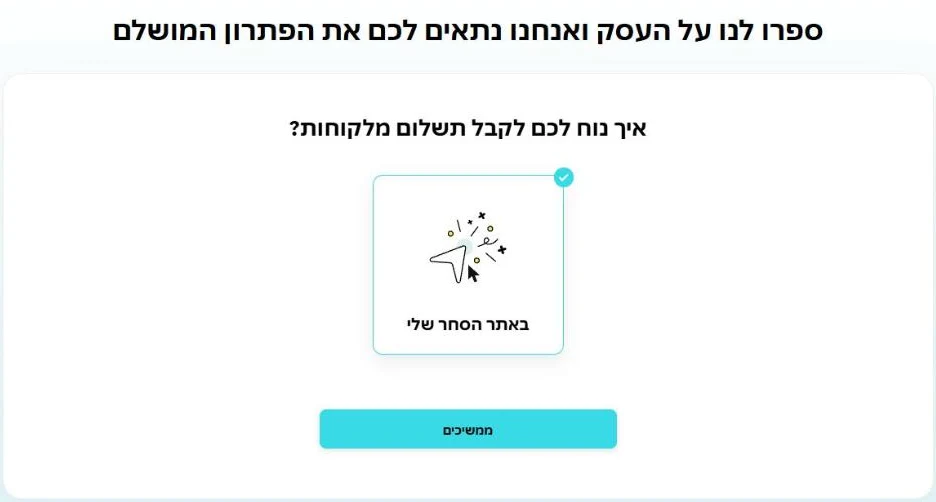
Max first asks how you will take payments. Pick "באתר הסחר שלי" (on my online store) and click "ממשיכים" (continue), even if you have no website: this is the payment-page track, and Slate's links run on it.
Next, Max asks for an estimate of your monthly volume. A rough number is enough.
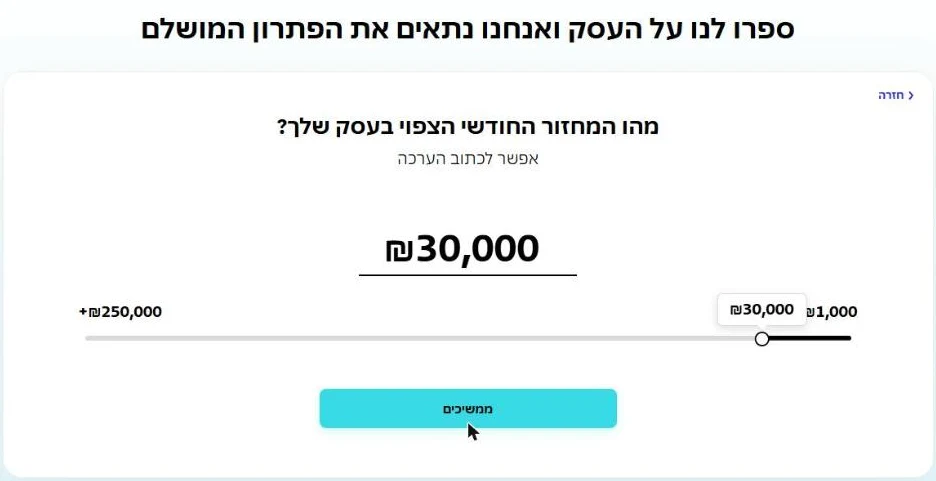
Two plans work with Slate, and the break-even is about 2,700 ILS
At the end Max shows its plans. Two of them work with Slate, and in both the money reaches your account on the 6th of each month:
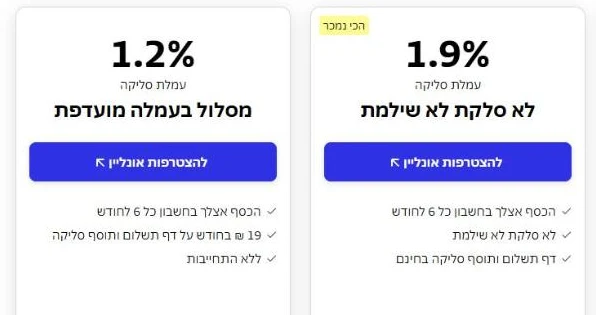
| Plan | Fee per sale | Payment page | Payout |
|---|---|---|---|
| "לא סלקת לא שילמת" (no sales, no fee) | 1.9% | Free | 6th of the month |
| Preferred rate | 1.2% | 19 ILS a month, no commitment | 6th of the month |
| Weekly payout | 2.2% | Every week |
The first plan costs nothing in a month with no sales, so it suits a business that takes a card payment now and then. The preferred-rate plan wins once card payments pass roughly 2,700 ILS a month: at that volume 0.7% of the sales equals the 19 ILS monthly charge. A photographer who bills 5,000 ILS a month by card pays 95 ILS on the first plan and 79 ILS on the second.
Prices exclude VAT and apply to new members joining online. Joining is subject to Max's approval.
Three details from the Hyp dashboard
Once the terminal is open, log in to the Hyp dashboard and copy three details:
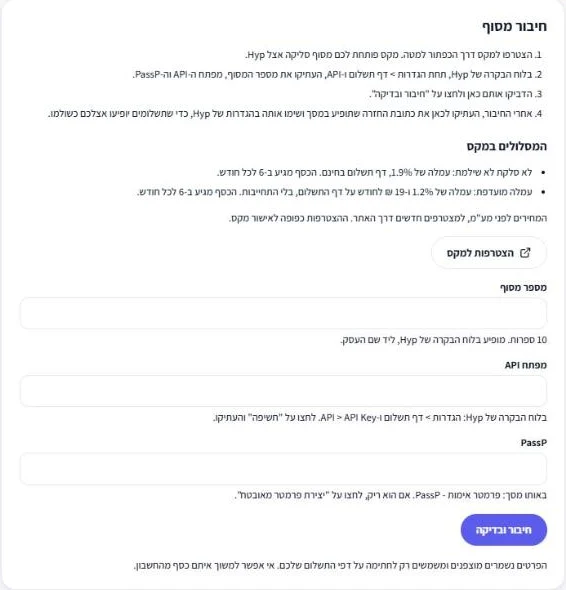
- The terminal number: 10 digits shown next to the business name.
- The API key: under "הגדרות" (settings), on the "דף תשלום ו-API" (payment page and API) screen, in the API Key field. Click "חשיפה" (reveal) and copy it.
- The verification parameter: on the same screen, in the "פרמטר אימות - PassP" field. If it is empty, click "יצירת פרמטר מאובטח" (create a secure parameter).
Never send the API key or the verification parameter to anyone. Paste them only into Slate.
Connecting the terminal in Slate
Back on the "Card clearing" screen in Slate, paste the three details and click "Connect and test". Slate checks them with Hyp, and nothing is charged by that check. The details are stored encrypted.
The return address tells Slate a customer paid
The last step is how Slate learns about each payment. After connecting, the screen shows a return address with a "Copy" button. Copy it, then in the Hyp dashboard go to "הגדרות", "דף תשלום ו-API" and "הפנייה לאחר עסקה" (redirect after a transaction). Under "עסקה שהצליחה" (successful transaction), choose "לינק מותאם אישית" (custom link) and paste the address.
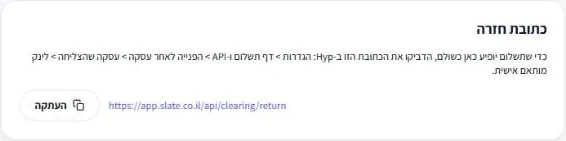
Without it the payment still goes through, but Slate never hears about it: the link stays at "Awaiting payment" and no receipt is produced.
Sending the first payment link
On the "Payment links" tab you create a link for any amount and send it by WhatsApp or email. When you produce a payment request or a tax invoice, the link goes into the document itself, with a QR code. When the customer pays, Slate produces the receipt, emails it to them, and the documents list shows "Paid".