
The Slate API: invoices produced from inside your own system
An online store that produces a tax invoice receipt for every order. A CRM that opens a customer in Slate when a deal closes. An automation that pulls the month's income into a report. All of these run through the API, under the same rules as producing by hand: running numbering, a document that cannot change once produced, and an allocation number from the Tax Authority when one is needed.
Open a free account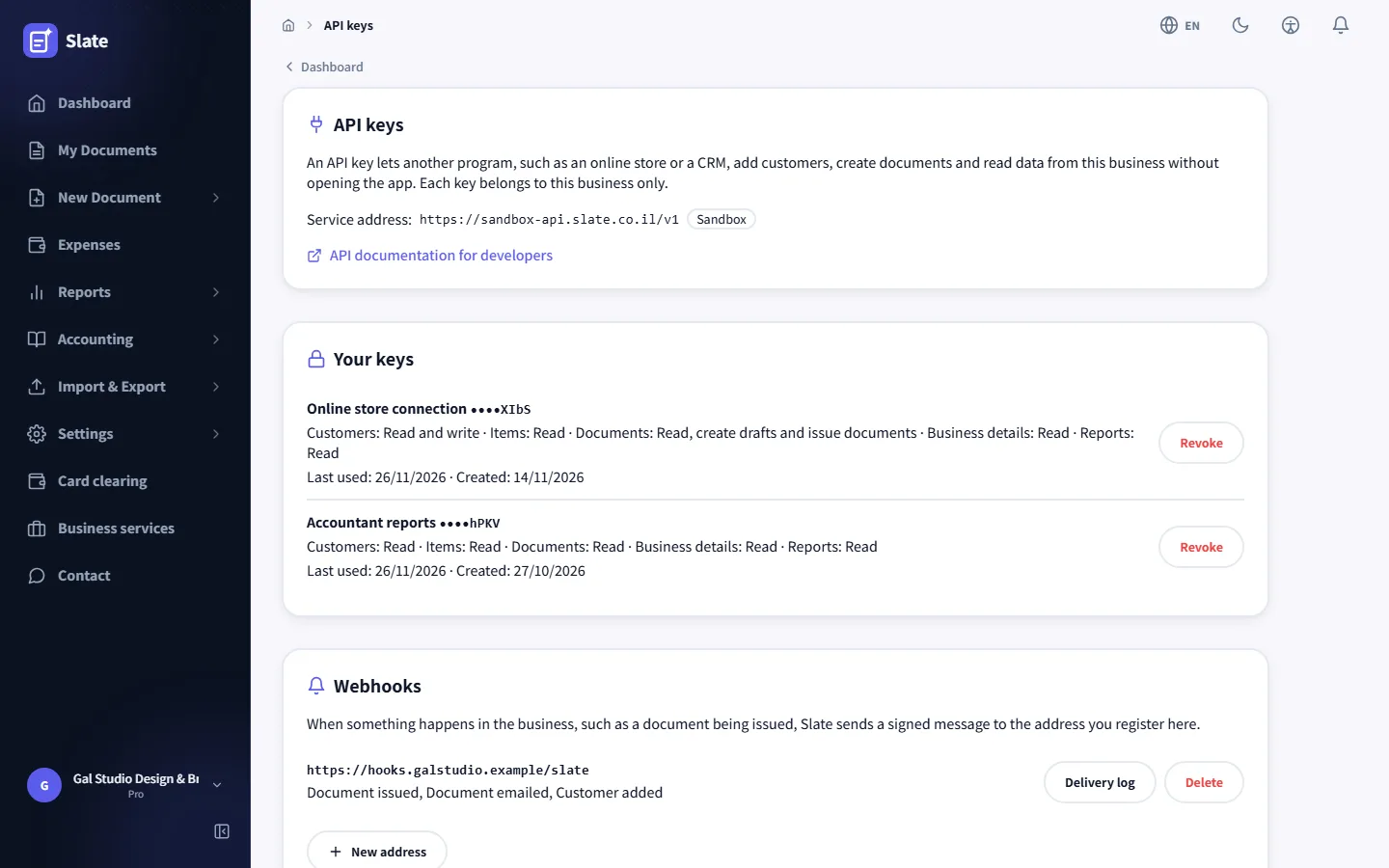
A key for each system, with its own permissions
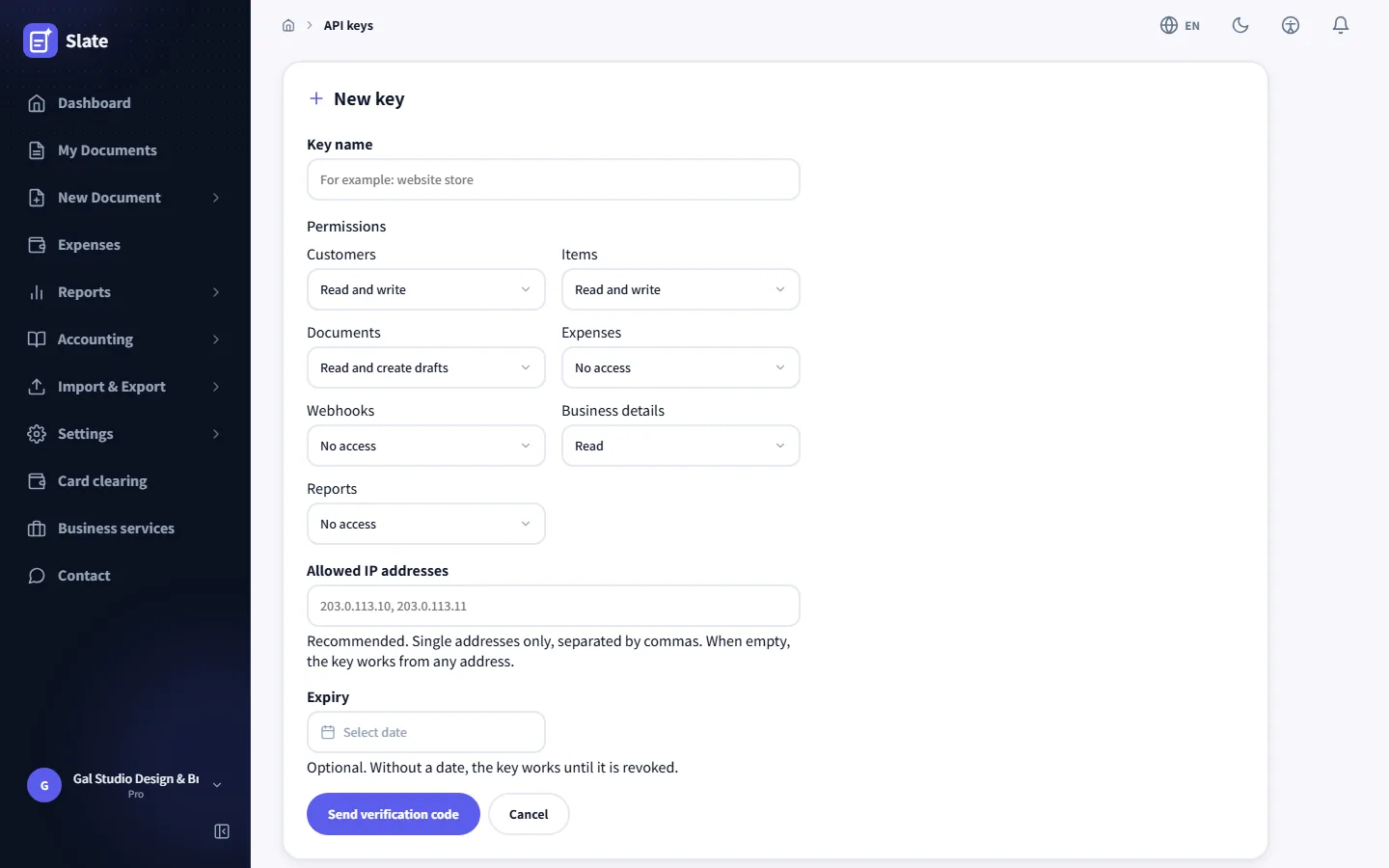
Each system that connects gets its own key, and for each kind of data you choose whether it can read, write or not access it at all: customers, items, documents, expenses, reports and the business details. A key can be limited to certain IP addresses, given an expiry date and a daily cap on documents. Creating a key takes a code sent to the business owner by email.
Producing documents through the API, allocation number included
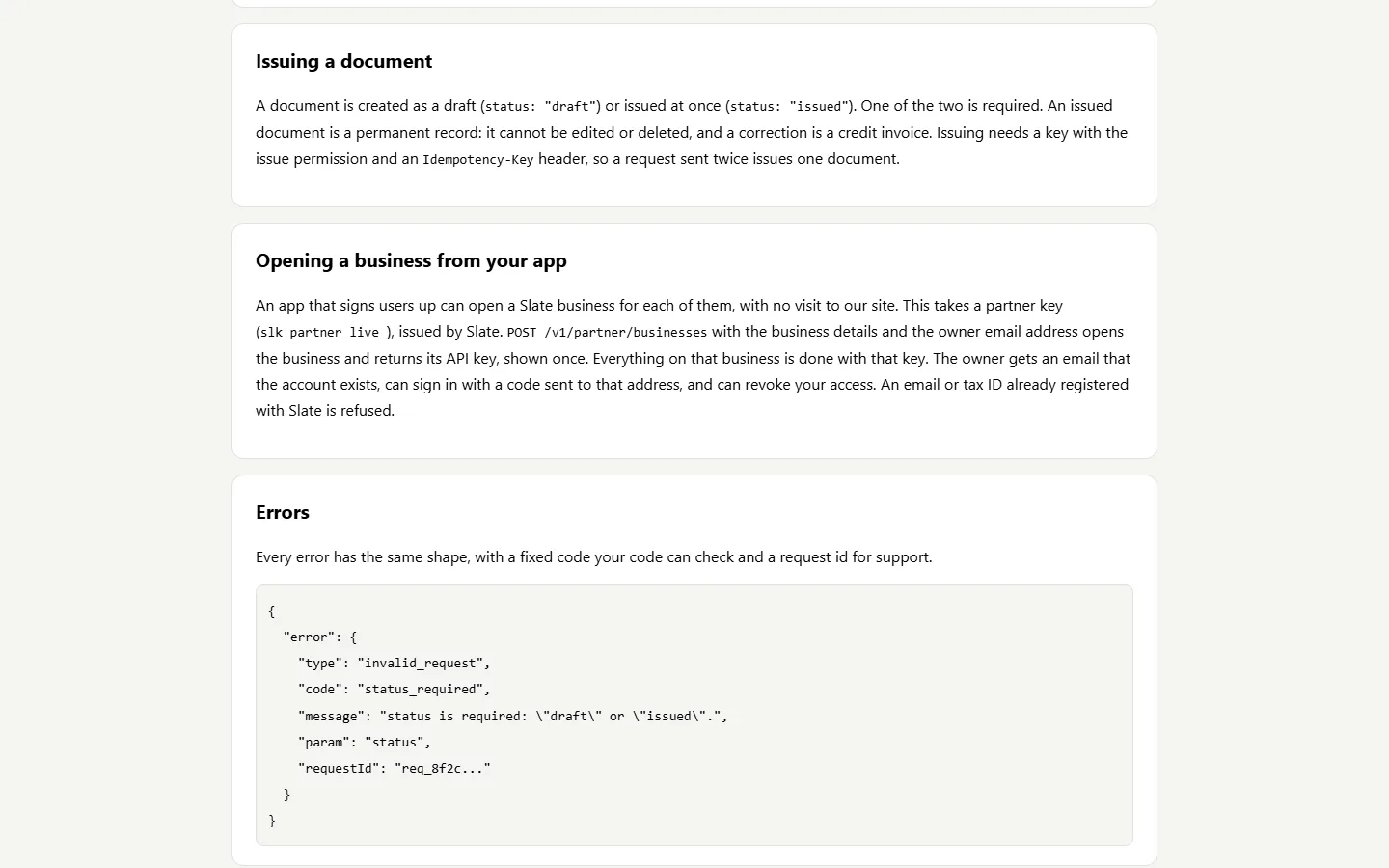
A key with permission to produce can create a tax invoice, a tax invoice receipt, a receipt and the other documents, and email them to the customer. When an invoice needs an allocation number, Slate requests it from the Tax Authority at that moment, exactly as when producing from the app. A request sent twice because of a dropped connection does not produce a duplicate document.
Webhooks: Slate tells your system what happened
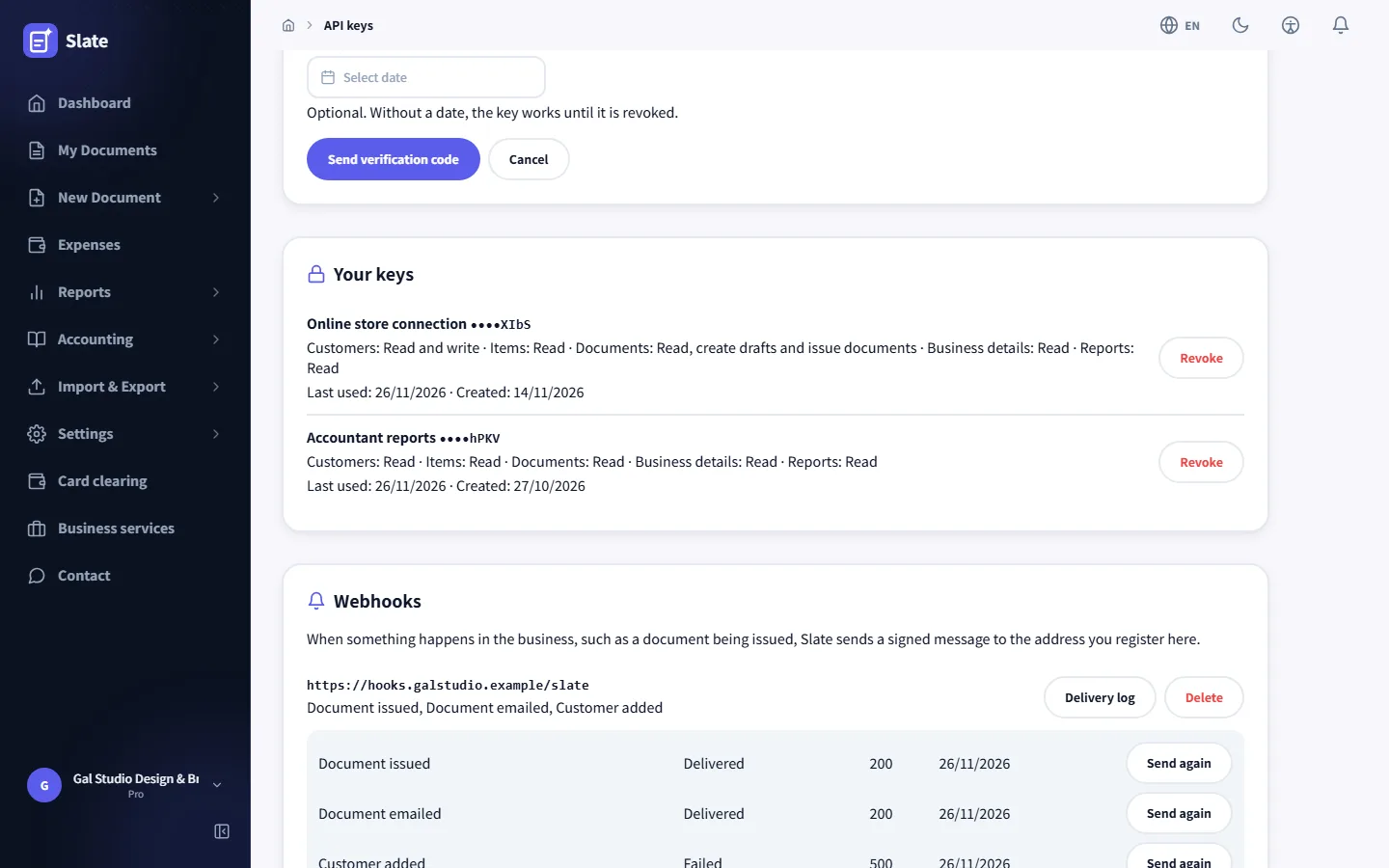
Register an address on your server and choose what to be told about: a document was produced, a document was emailed, an allocation number was updated, a customer was added or updated, an expense was added. Every notification is signed, so your server knows it came from Slate. If your server does not answer, Slate tries again, and the delivery log shows every attempt and the response it got.
A sandbox, and documentation in Hebrew and English
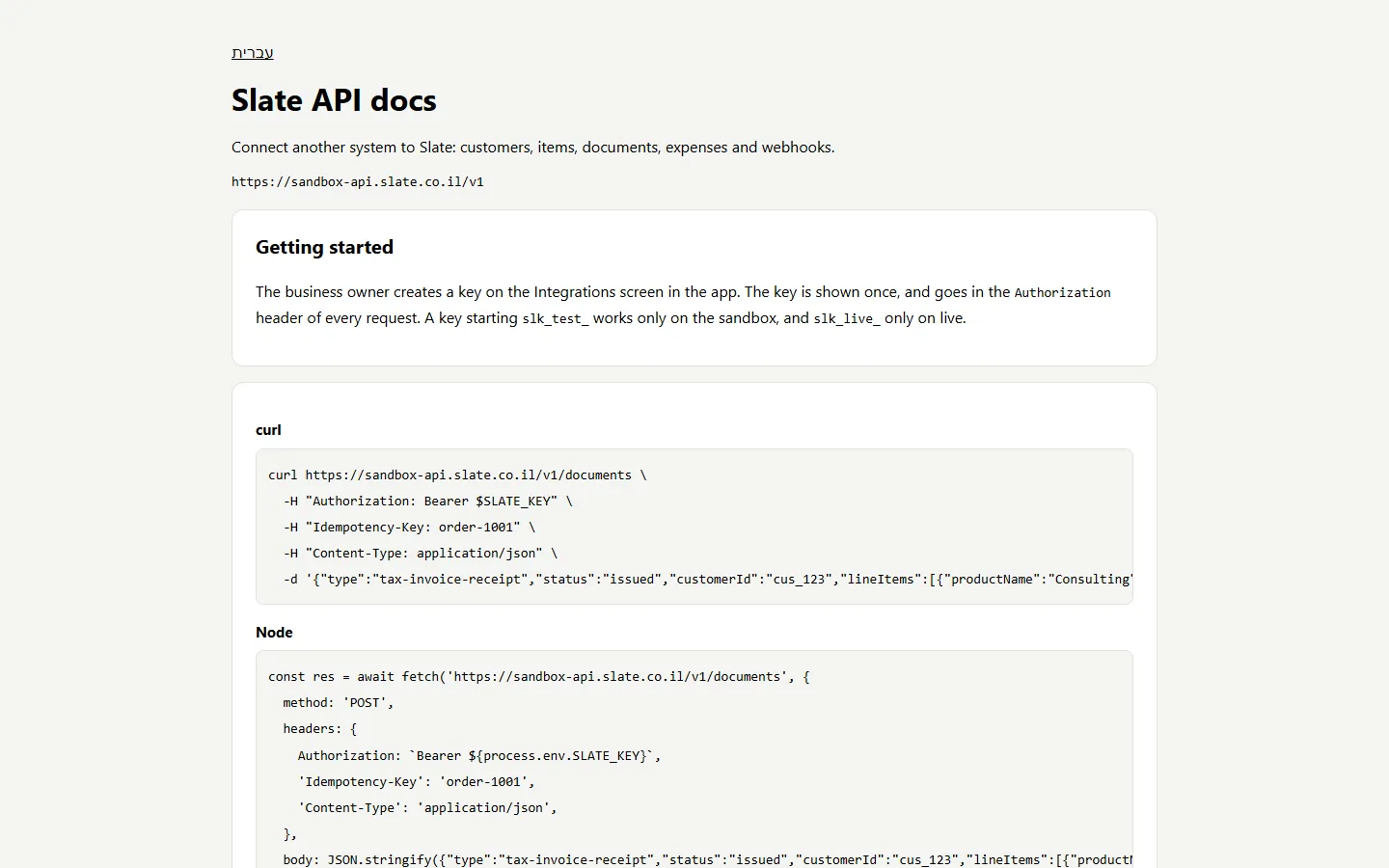
Start in the sandbox, with test keys and documents marked as samples, and move to the live environment once everything works. The full documentation is available in Hebrew and English, with an OpenAPI file and a Postman collection ready to import.
-
The same rules as the app
Running numbering, a document frozen once produced, and a digital signature on every PDF.
-
Permissions per key
Each system gets only what it needs, and a key can be revoked in one click.
-
Signed webhooks
Every notification is sent with a signature, and a delivery log shows whether it arrived.
Who it is for
Anyone with a developer or a system that can connect: an online store, a CRM, a booking system or an automation. A business owner who produces documents by hand does not need the API, and everything they do in the app keeps working exactly the same.
Your first request, in the sandbox
Open an account, create a test key and send your first request. Documents in the sandbox are marked as samples.