
Credit card payments in Slate, with no subscription
Send the customer a payment request, a tax invoice or a transaction invoice with a link to pay by credit card inside it. The customer pays on a secure payment page, the money goes to your bank account, and the receipt is emailed to them without you touching anything. Opening the terminal takes a few minutes, and connecting it to Slate is free.
Open a free terminal in minutes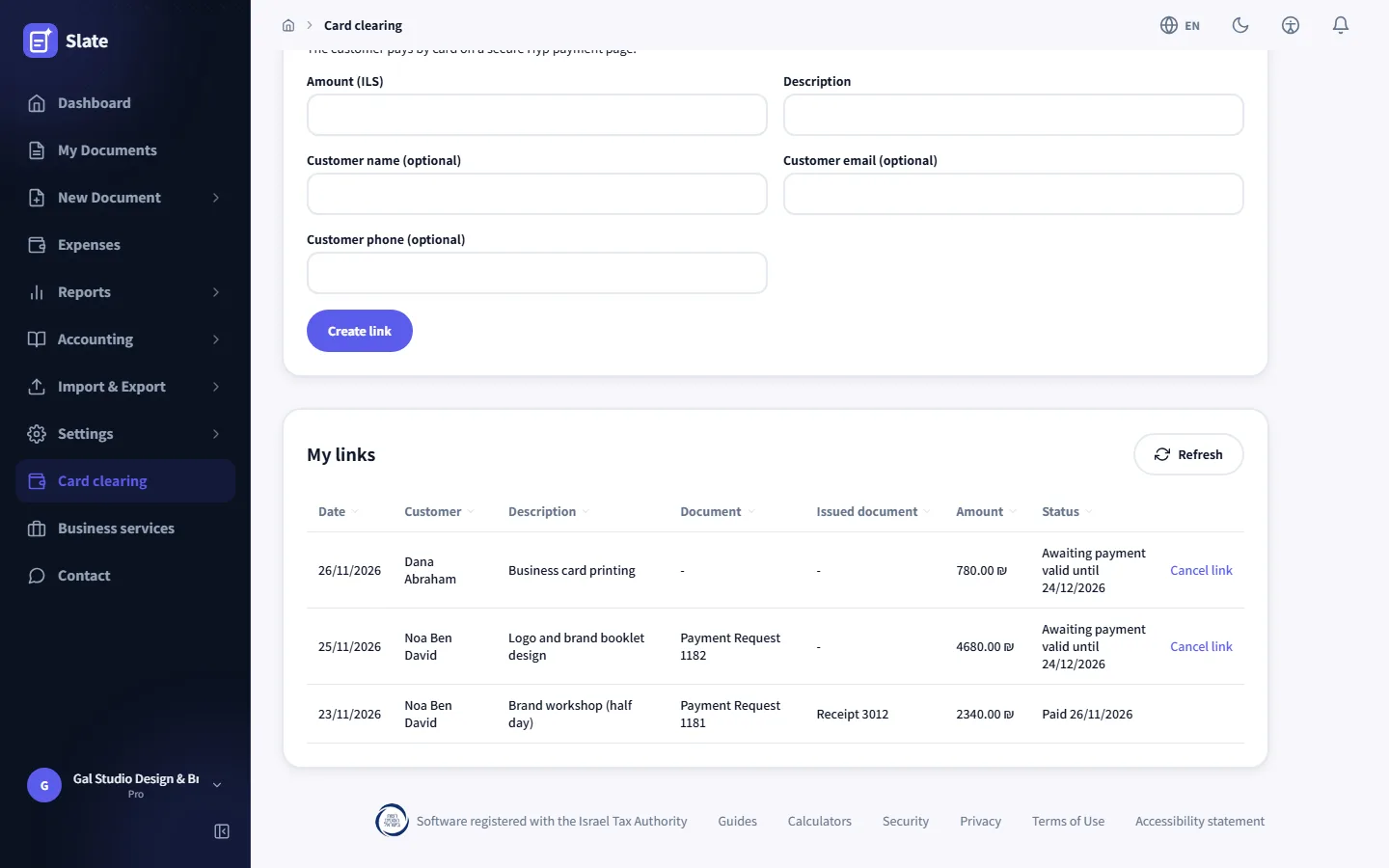
A payment link inside the document itself
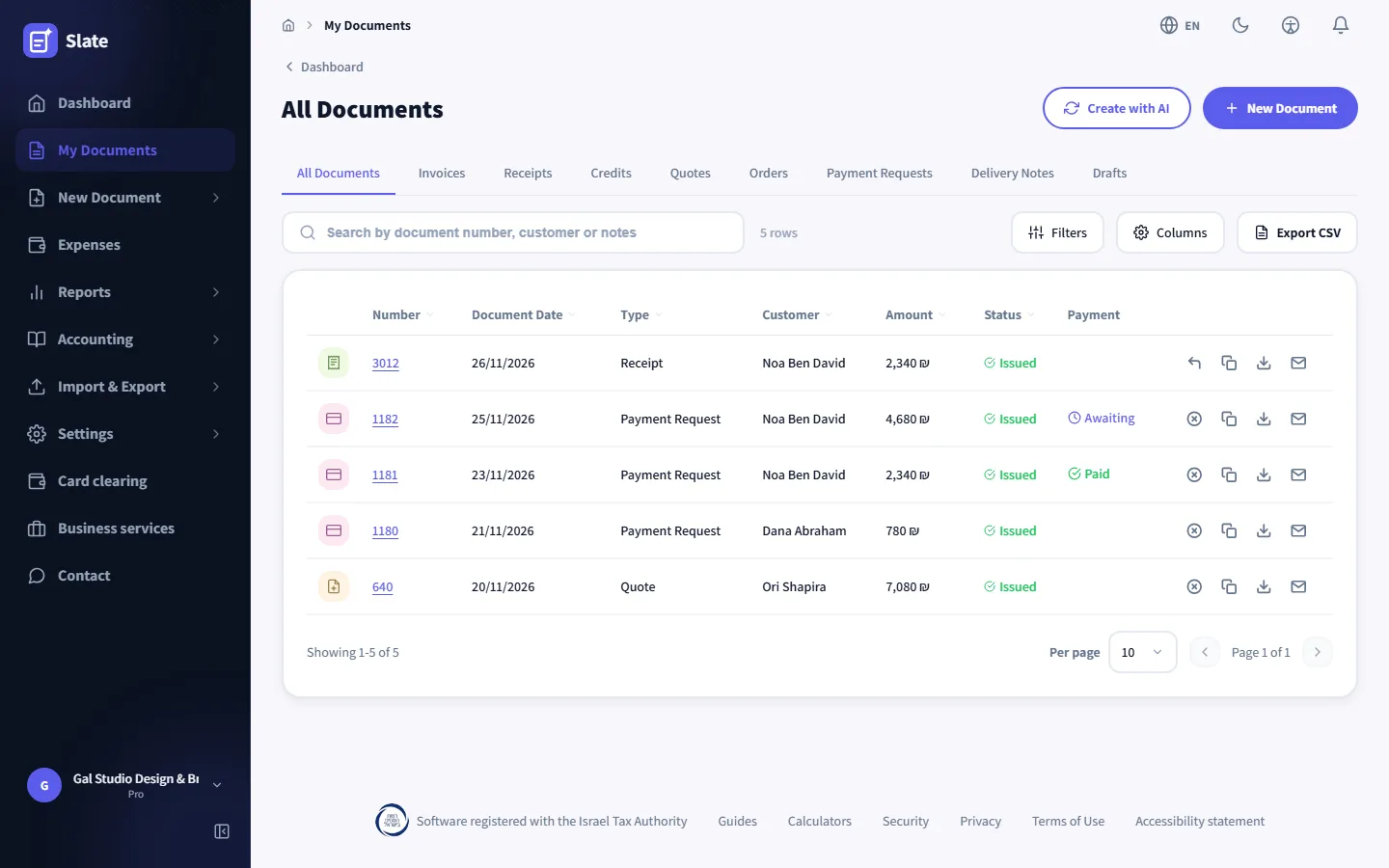
Produce a payment request, a tax invoice or a transaction invoice as usual and tick "Add a credit card payment link". The document gets a "Pay securely by credit card" link, and it reaches the customer however you send the document: email, WhatsApp or a link. The box starts unticked, and the clearing screen can make it ticked by default. The documents list shows next to each document whether it is waiting for payment or already paid.
The customer pays, the receipt goes out by itself
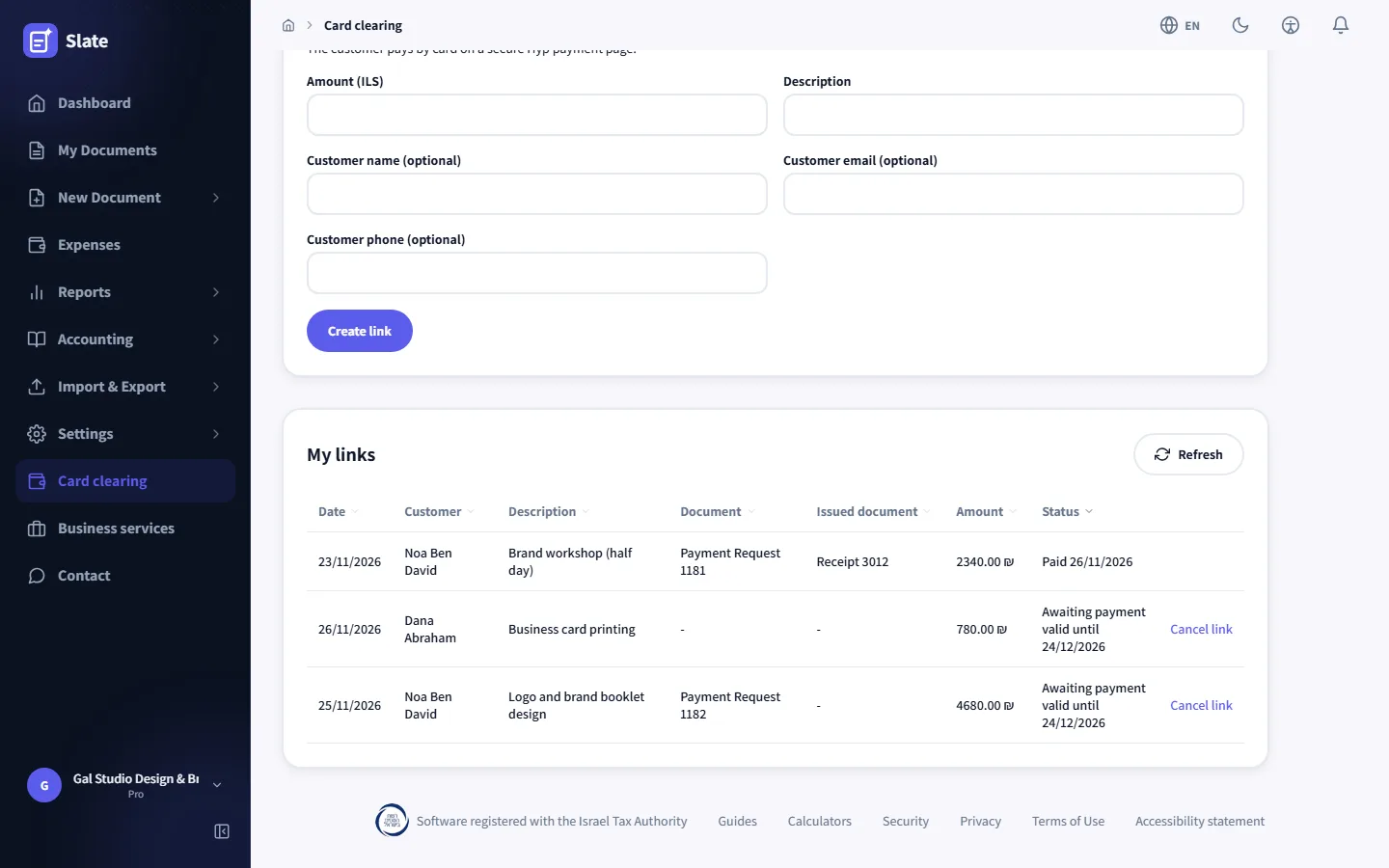
The moment the payment clears, Slate produces the document that closes it and emails it to the customer: a receipt for a tax invoice, and a tax invoice receipt for a payment request or a transaction invoice. An exempt dealer gets a receipt in every case. If something stopped it, for example when the document was already closed by hand, the screen says what happened and lets you produce the receipt in one click.
A payment link without a document
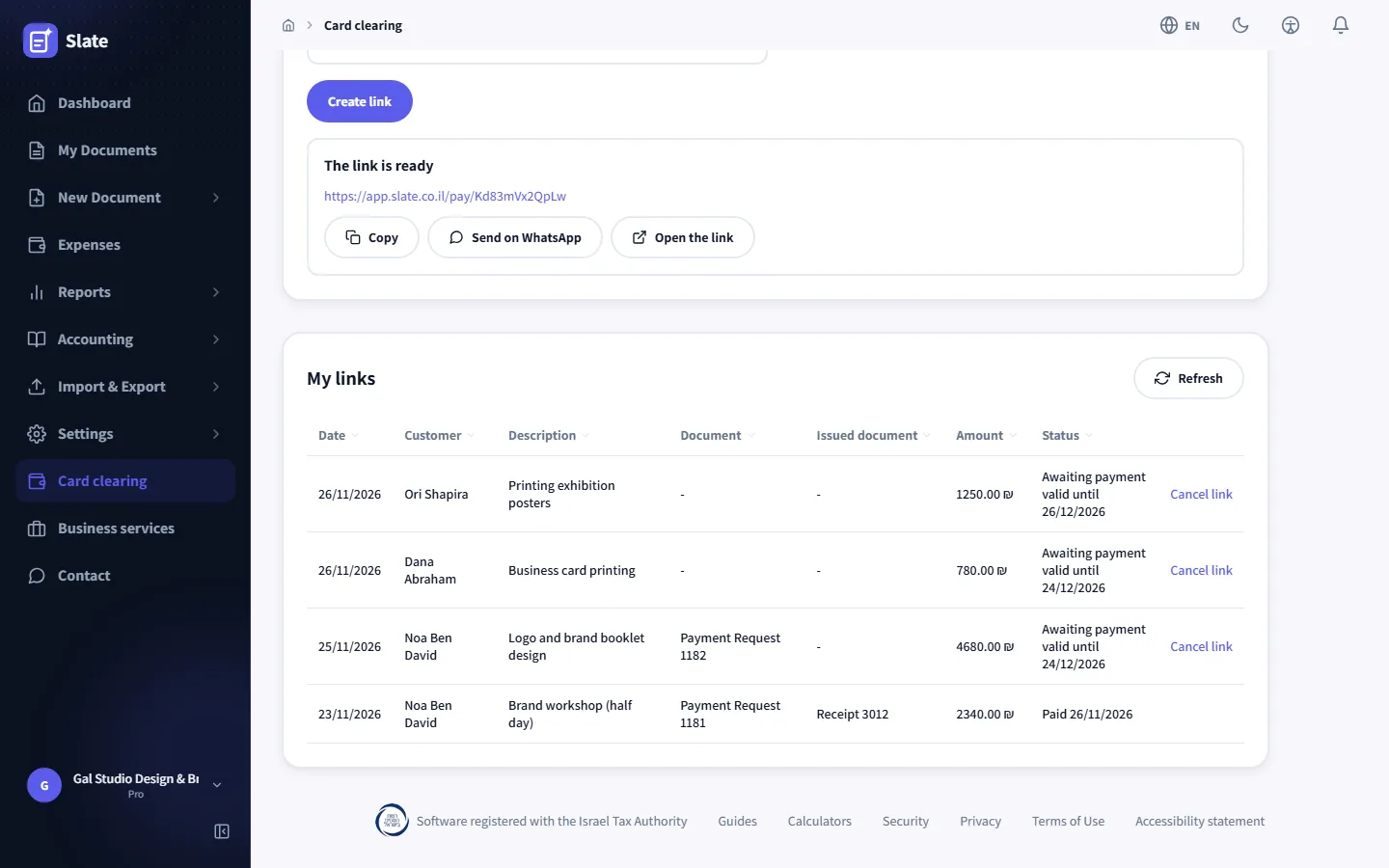
Need to collect a deposit or a small amount over the phone? Create a link with an amount, a description and the customer name, copy it and send it. Each link is valid for the period you chose, can be paid once only, and can be cancelled while it is unpaid. A link like this does not produce a receipt by itself, so you produce one as usual.
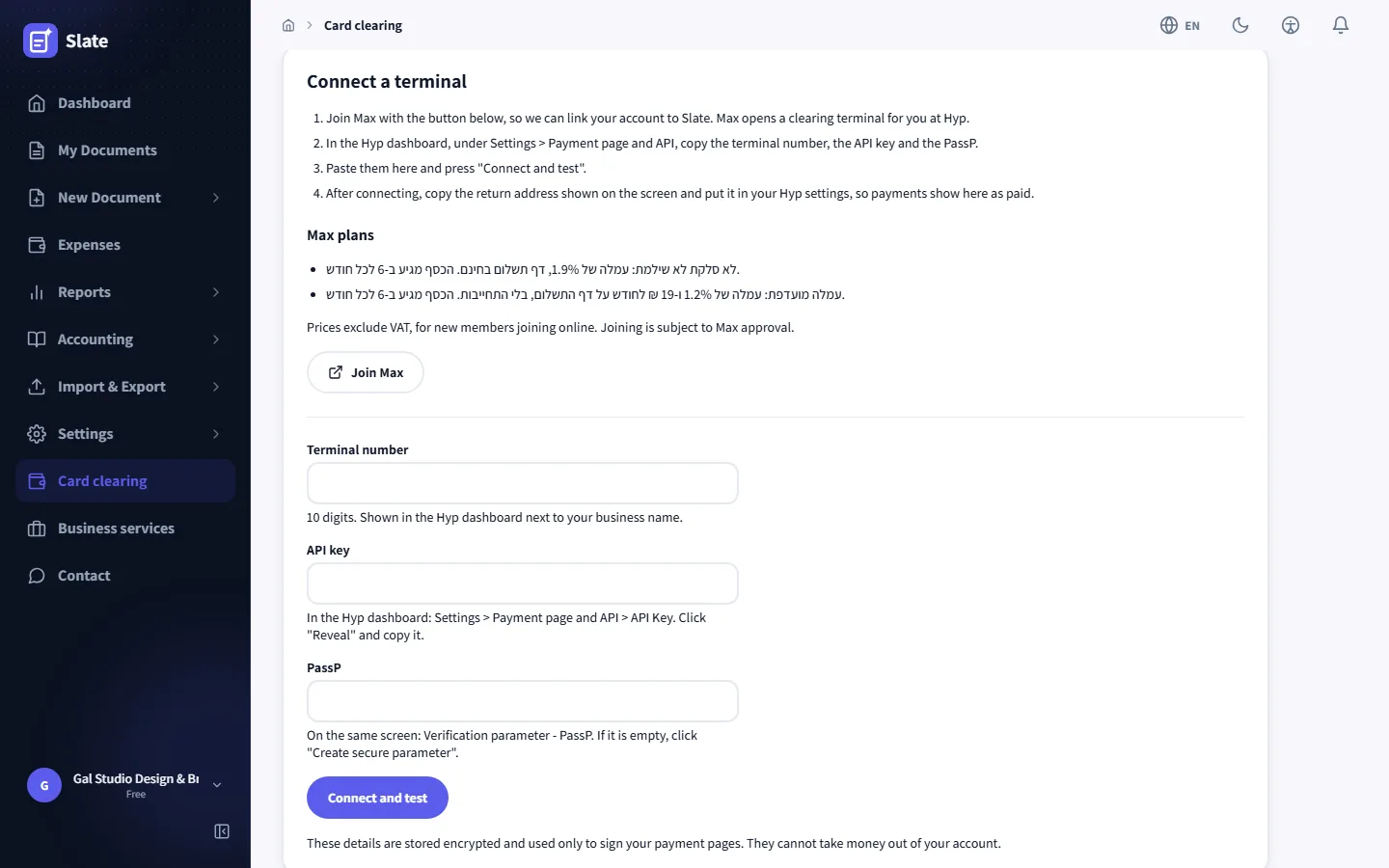
Connect a terminal in a few minutes
Join the clearing company from the button on the clearing screen, pick a plan, and copy the terminal details from its dashboard. Slate checks them and stores them encrypted. These details can only sign your payment pages. They cannot withdraw money from your account. The full guide, with screenshots, is here.
-
The fee and the money stay with the clearing company
The clearing company charges the fees according to the plan you chose, and the money is managed by it alone.
-
Three plans at Max
1.9% with no monthly charge, a free payment page and the money on the 6th of the month, 1.2% plus 19 shekels a month, or 2.2% with the money in your account every week.
-
Card details never pass through us
The customer types them on the secure payment page of the clearing company. Slate never sees or stores them.
After the customer pays
The money reaches your bank account from the card company on your plan's schedule, under your agreement with the clearing company. The receipt goes into the books on the payment day, as a credit card payment. The clearing fee is recorded as an expense, and the full explanation is in the guide to card payments for the self-employed.
Which plan pays off
The first two plans differ by 0.7% against 19 shekels a month, which breaks even at about 2,700 shekels of card payments a month. Below that the 1.9% plan is cheaper: a business collecting 1,500 shekels a month pays 28.50 on it, against 37 on the 1.2% plan. Above it the 1.2% plan earns back its monthly fee: at 10,000 shekels a month its fee is 139, against 190 on the 1.9% plan. The 2.2% plan suits a business that cares more about cash flow than the fee.
The receipt is for the full amount
The receipt covers everything the customer paid, even when less reaches the bank. The fee the clearing company deducts before the transfer is a business expense, not a discount to the customer, so it does not reduce the receipt or the income in the books.
A customer who wants the money back
The refund is made with the clearing company, and in the books you produce a credit invoice that points to the original invoice. Some clearing providers keep the fee on a cancelled transaction, so check that clause in the agreement before picking a plan.
A payment link on every invoice, and the receipt goes out by itself
Connect the terminal once, and from then on you can add a card payment link to any payment request, tax invoice or transaction invoice. Connecting to Slate is free, and the clearing company charges the fee.
Open a free terminal in minutes